
Building a beautiful, responsive timeline in WordPress can be incredibly frustrating. The native editor doesn't offer a dedicated WordPress Timeline block, and trying to build one manually using columns and text blocks usually results in a messy, unaligned layout—especially on mobile devices.
Most users resort to searching the repository for a Free wordpress timeline plugin, but many of those plugins are bloated, slow down your site, or clash with your theme's CSS.
Instead of slowing down your site with single-use tools, you can use the Redesignee WordPress plugin. This Wordpress timeline plugin free download gives you access to a native Redesignee widget block directly inside Gutenberg and Elementor. From there, you can instantly drop in any of the 15 premium timeline layouts below without touching a single line of code.
1. Year Pill Process Timeline
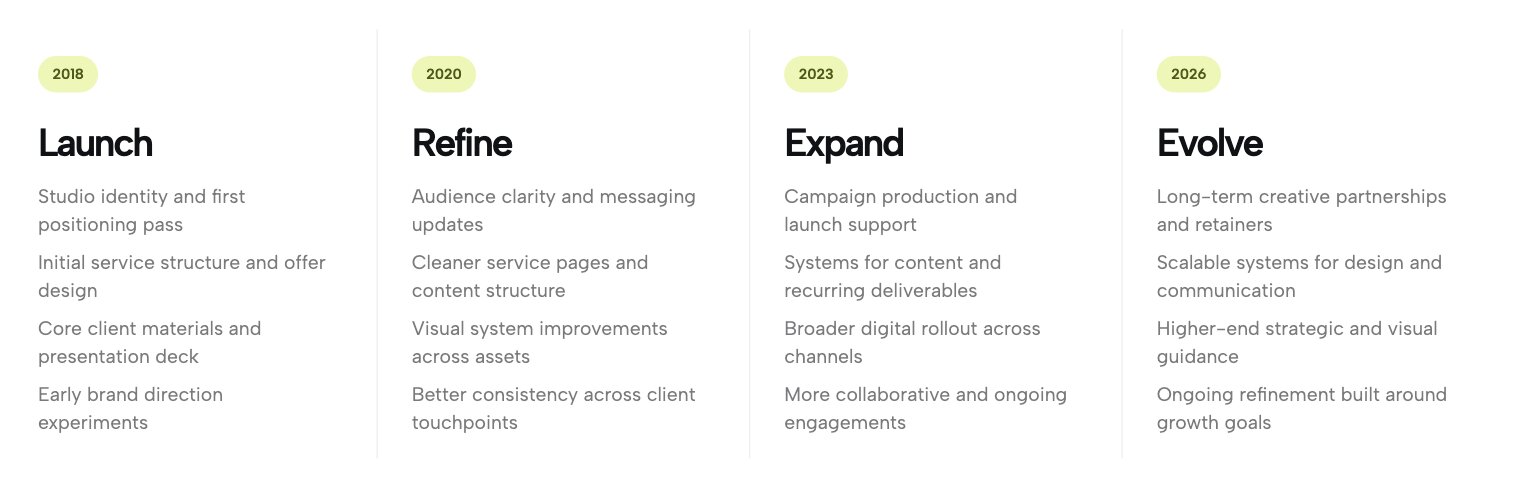
Mapping out complex project phases or multi-year business growth in WordPress doesn't have to be clunky. The Year Pill Process Timeline uses prominent, pill-shaped badges to anchor each stage. It serves as an excellent block that uses bold typography to establish a visual hierarchy, making it incredibly easy for visitors to scan your milestones.
👉 Live Demo: Get it now
2. Editorial Year Timeline
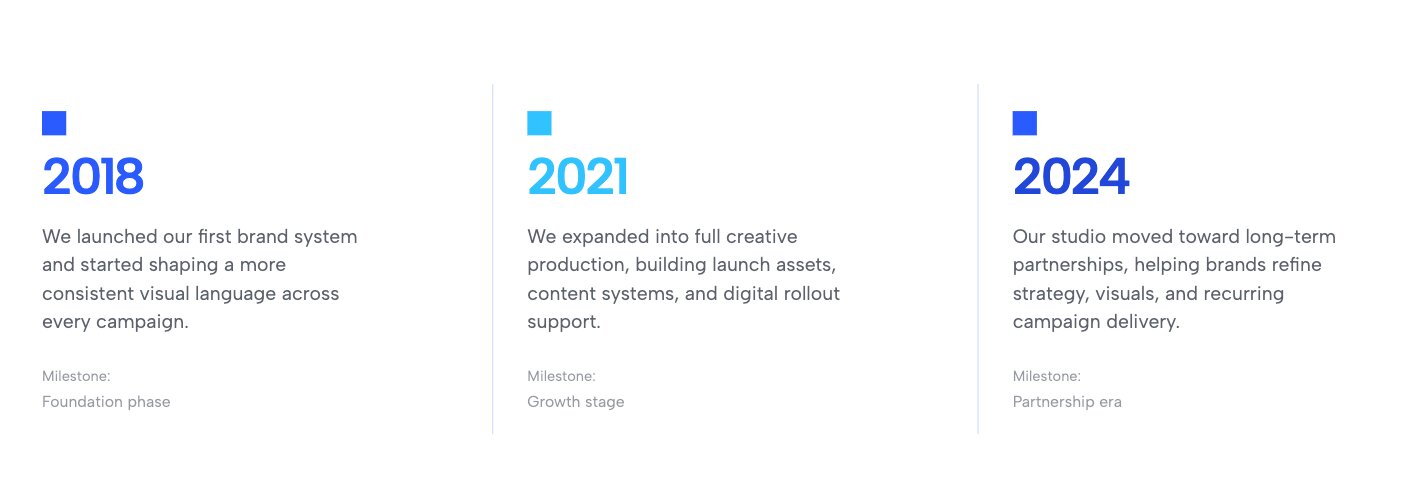
For digital magazines, news portals, or high-end corporate histories, this layout brings a refined, airy aesthetic to your site. This template separates distinct eras using crisp vertical dividers to maintain an uncrowded flow. It effortlessly pairs bold year markers with clean narrative summaries.
👉 Live Demo: Get it now
3. Process Timeline Columns
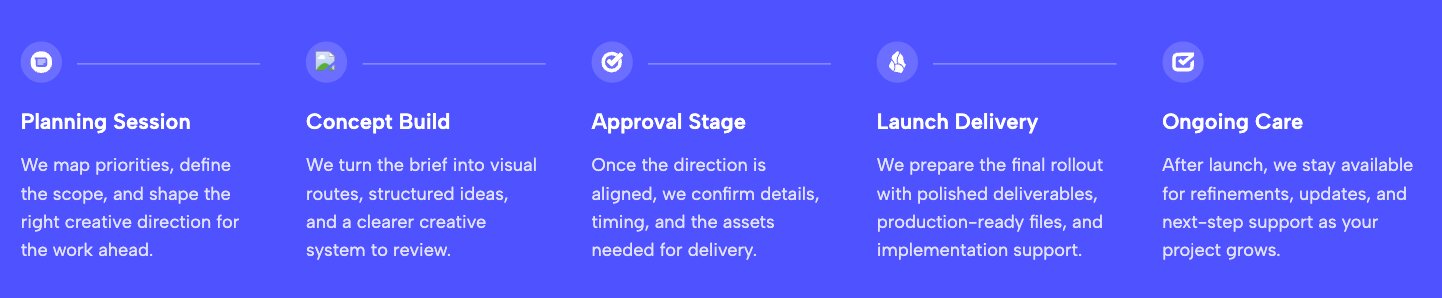
Turn your dry operational steps into a sleek, visual journey. This widget leverages an elegant horizontal axis with thin lines connecting circular icons. It strips away unnecessary clutter, allowing your users to glide from concept to completion in a highly modern, professional format.
👉 Live Demo: Get it now
4. Minimalist Portfolio Timeline
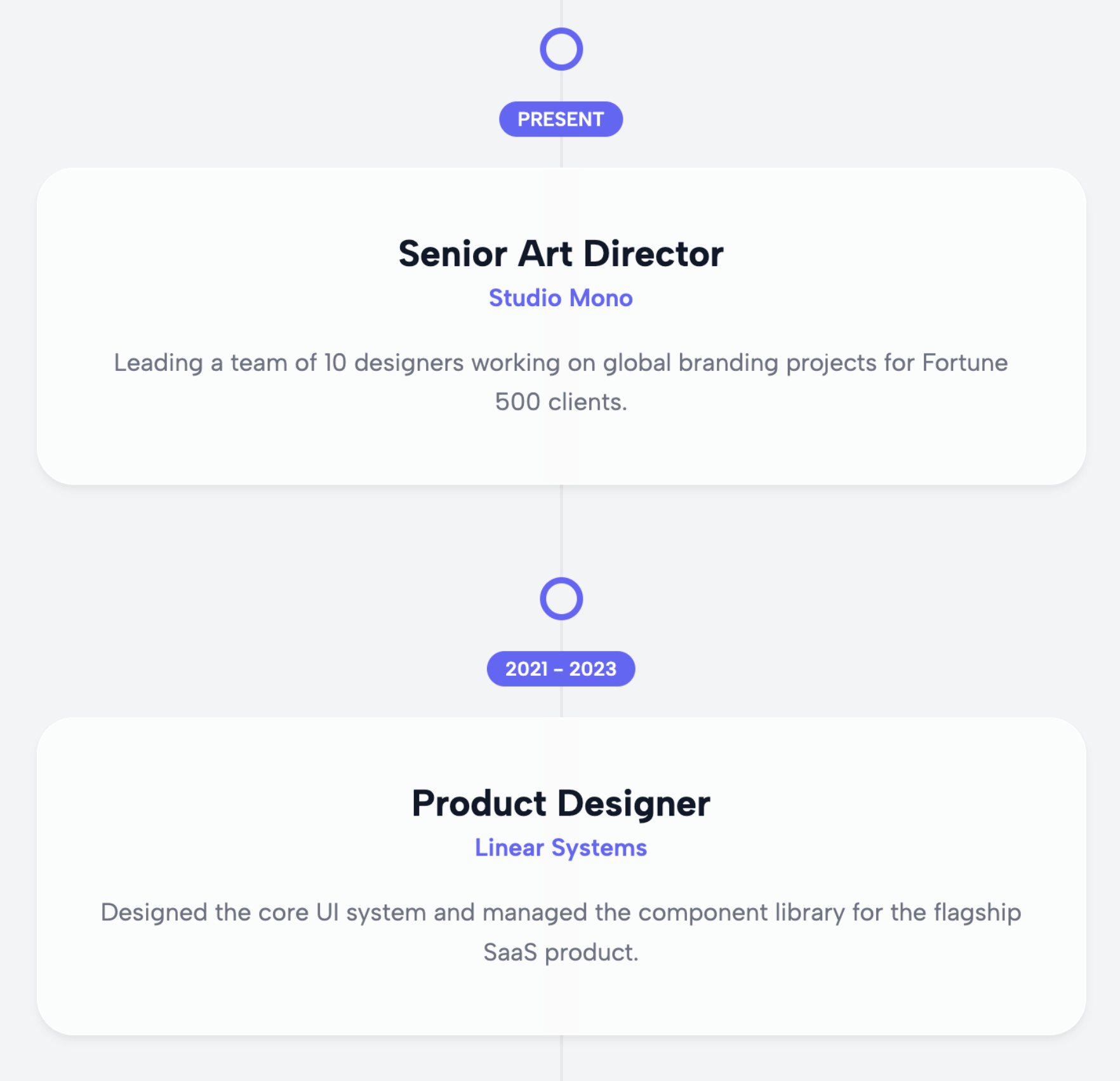
If you are a freelancer or creative professional building your site, this is a spectacular way to showcase your career trajectory. This layout maximizes white space, ensuring that your work history and project milestones remain the absolute center of attention without any distracting design elements.
👉 Live Demo: Get it now
5. Corporate Evolution Timeline
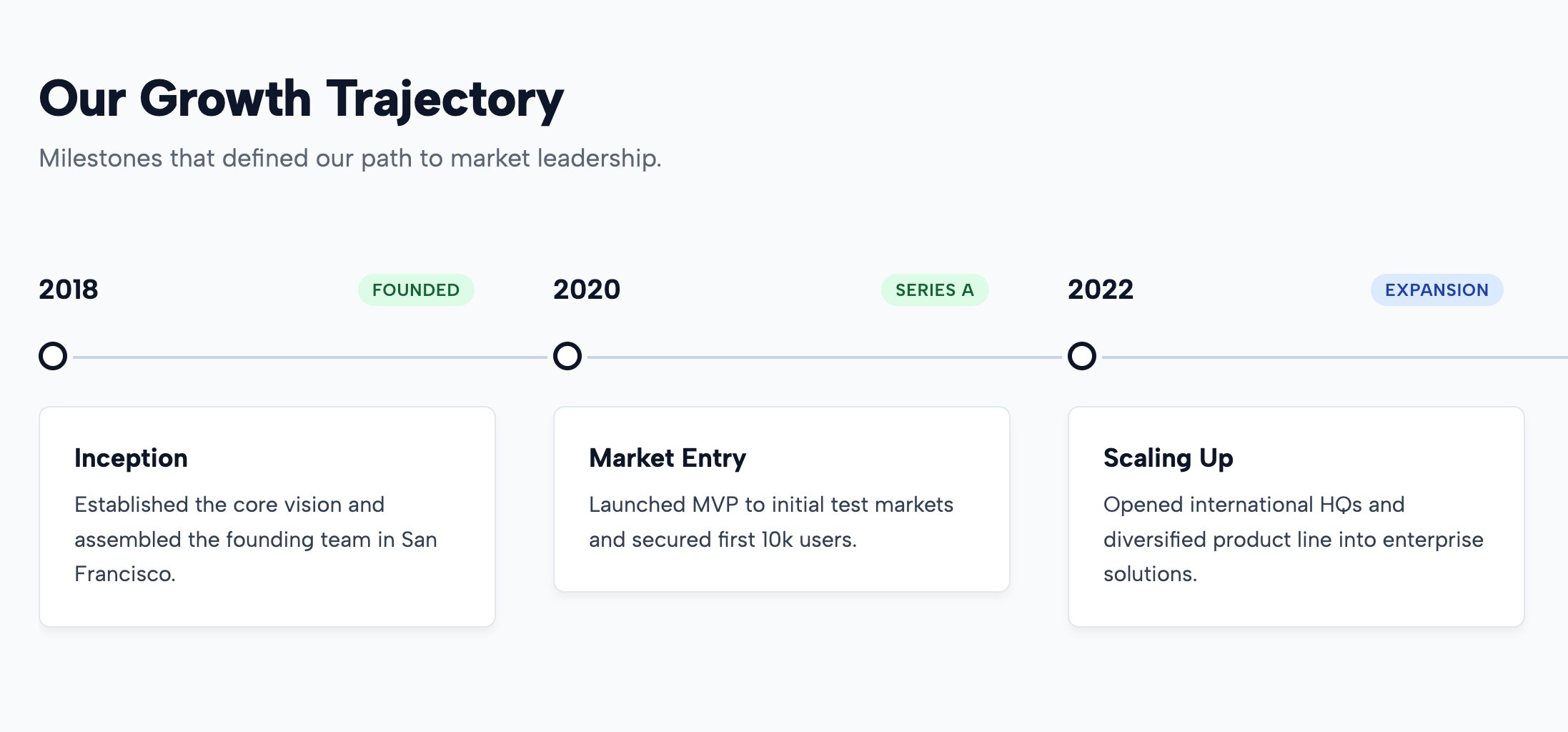
Looking for the Best wordpress timeline plugin layout for a corporate "About Us" page? This highly structured format establishes immediate authority and transparency. It is engineered specifically for readability, allowing you to plot significant firm achievements in an impressive, intentional style.
👉 Live Demo: Get it now
6. Agency Creative Stream
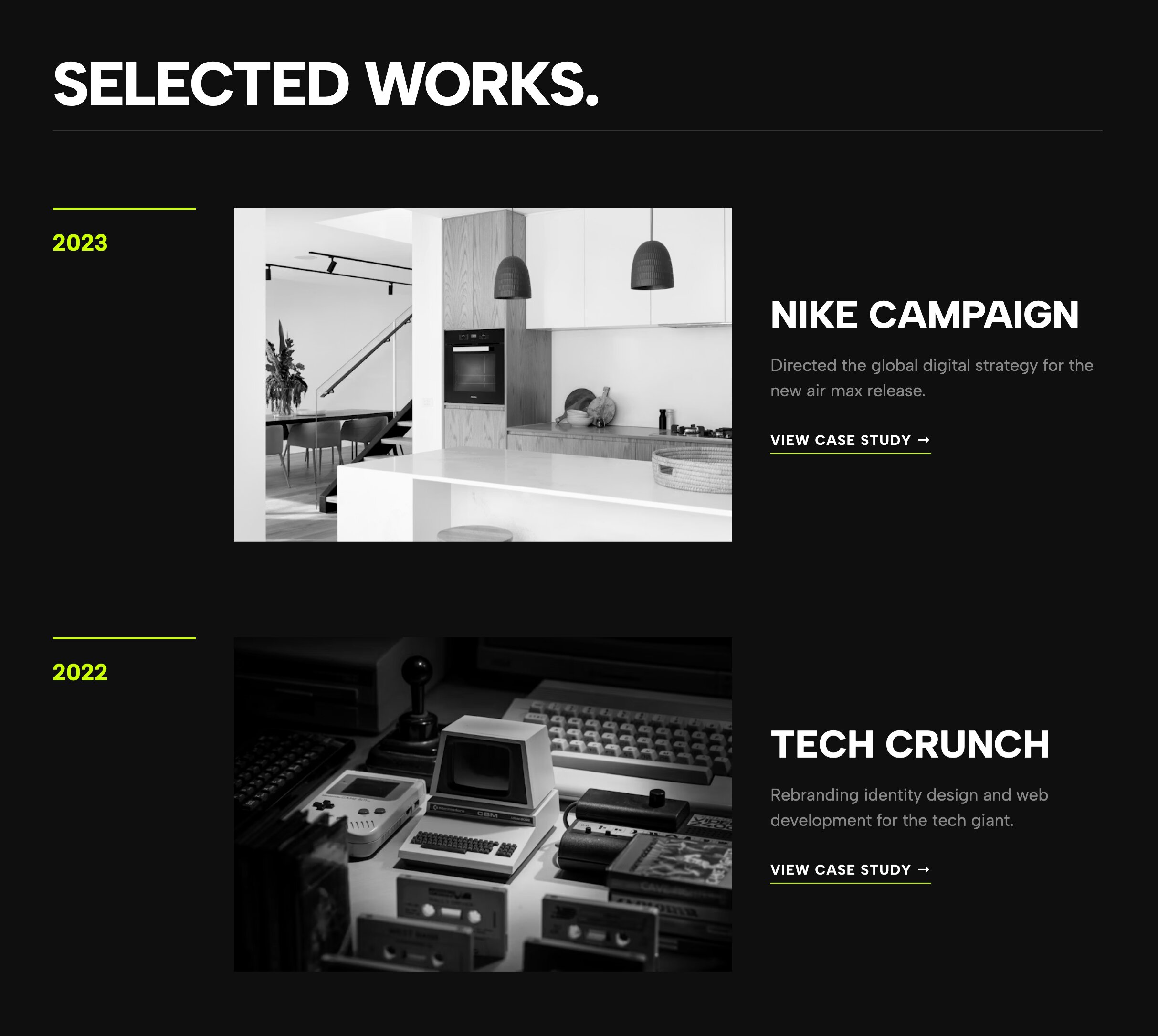
This premium aesthetic presents agency work in a dynamic, continuous flow. It is the ultimate storytelling tool for teams that need to showcase a massive volume of evolving creative campaigns or long-term client growth alongside their own history.
👉 Live Demo: Get it now
7. Simple Process Steps
.jpg)
Sometimes you don't need massive interactive features—you just need clarity. If you are building a landing page and want to outline exactly how your service works in 3 or 4 simple steps, this clutter-free widget provides a fast, focused, and efficient solution.
👉 Live Demo: Get it now
8. Urban Bold Timeline
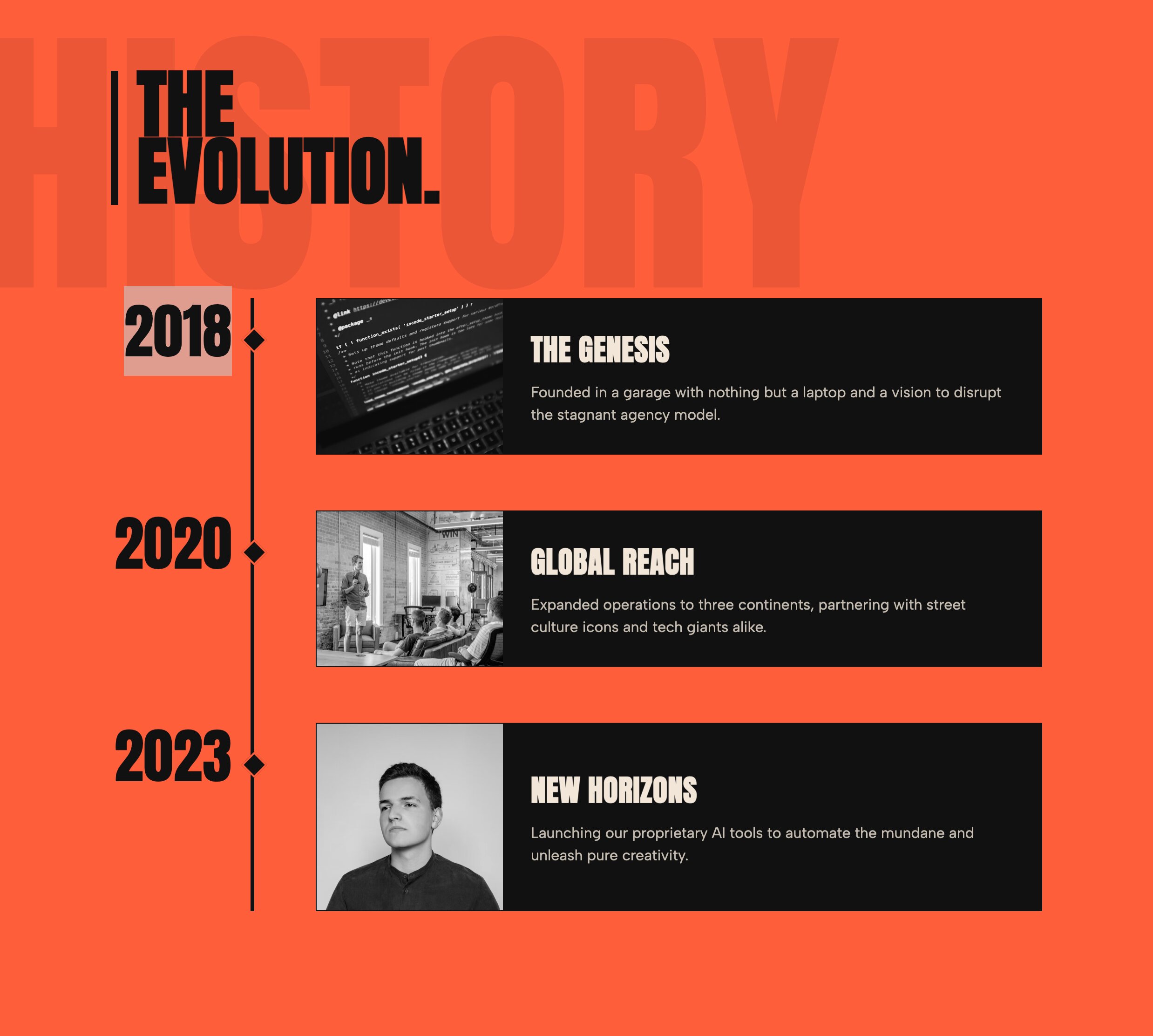
If you have been searching for a truly Cool Timeline plugin alternative that breaks the corporate mold, this is it. Utilizing thick industrial lines, aggressive contrast, and bold typography, this widget is tailor-made for streetwear brands, record labels, and edgy creative portfolios.
👉 Live Demo: Get it now
9. Draggable Horizontal Timeline
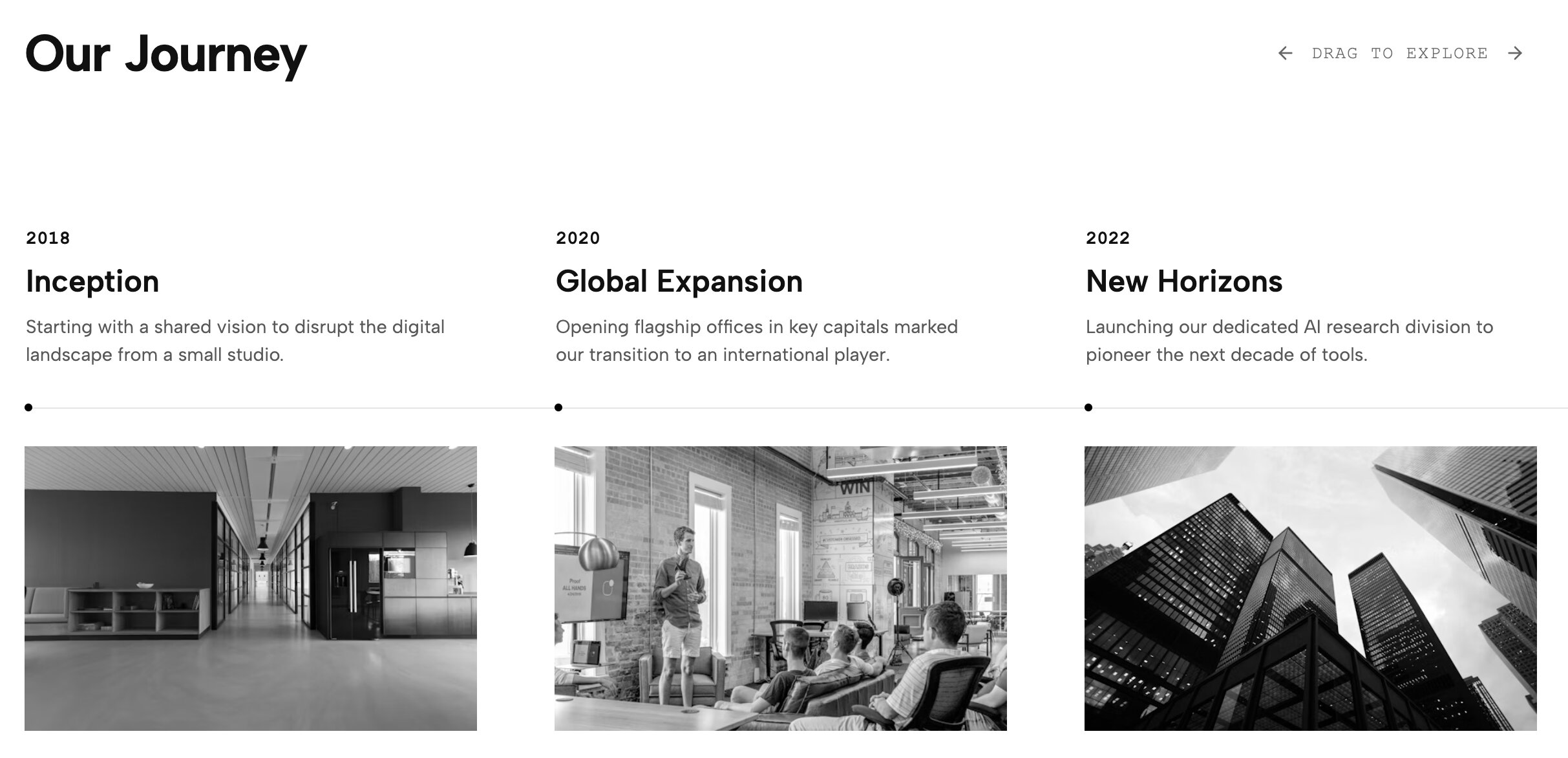
If you need a WordPress horizontal Timeline plugin free solution that actually feels modern, look no further. This interactive layout allows users to click and drag through extensive company histories. It transforms a passive reading experience into an active, tactile discovery journey.
👉 Live Demo: Get it now
10. Agency Minimal Timeline
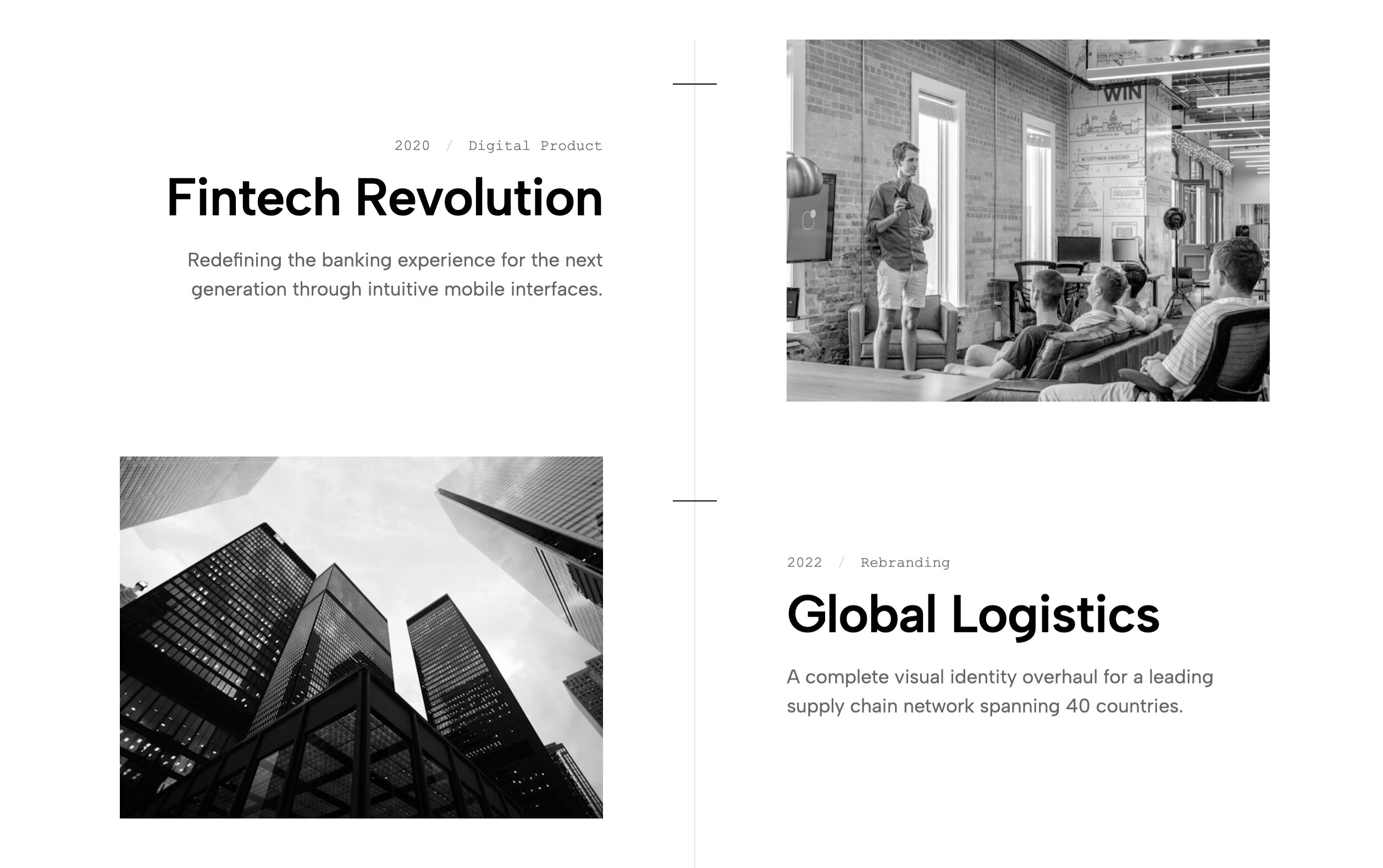
Built specifically for architectural studios, interior designers, and high-end firms, this template emphasizes spatial precision. It uses razor-sharp typography and generous padding to ensure your milestones enhance your portfolio's aesthetic rather than distracting from it.
👉 Live Demo: Get it now
11. Aesthetic Vertical Timeline
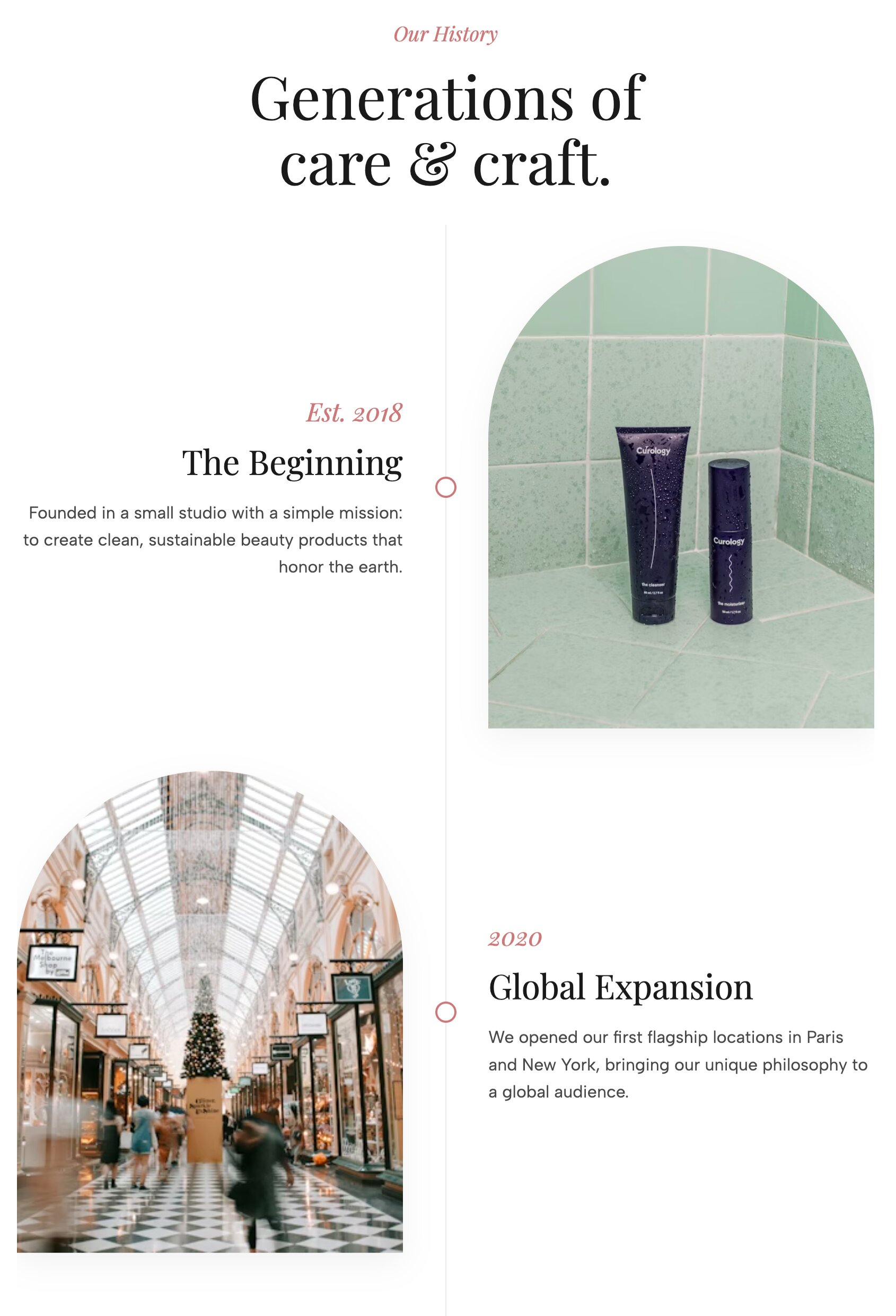
When searching for a Timeline plugin WordPress Elementor users often struggle with preventing the "wall of text" effect. This auto-alternating layout solves that by staggering content on opposite sides of a central line, creating a beautiful visual rhythm as the visitor scrolls down.
👉 Live Demo: Get it now
12. Horizontal Timeline for Website
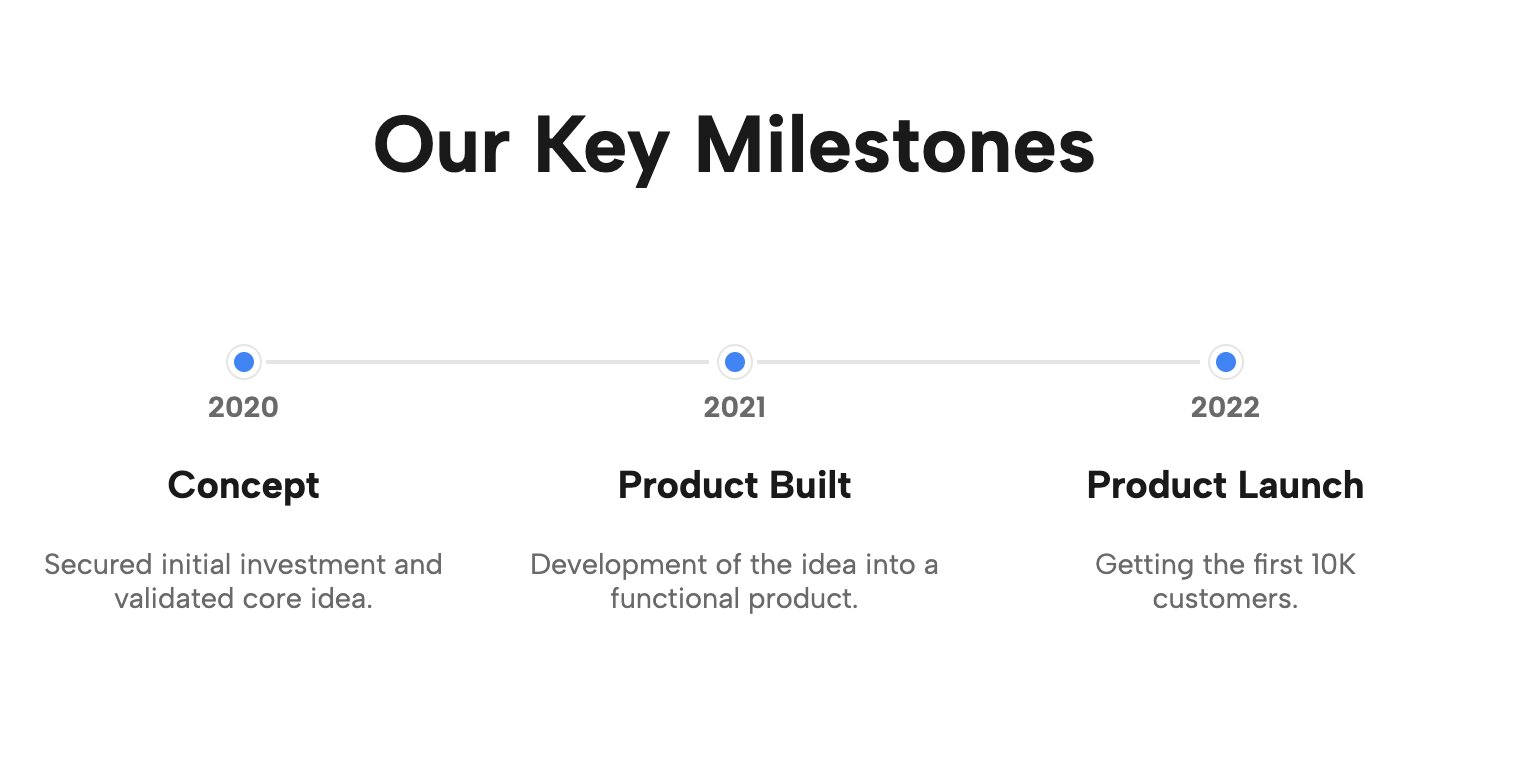
Sometimes you just need a dependable Horizontal Timeline WordPress layout. This template skips the flashy animations in favor of a clear, lightweight, and highly efficient roadmap. It is perfect for laying out chronological steps flawlessly without any unnecessary fluff.
👉 Live Demo: Get it now
13. Vertical Dual-Side Timeline
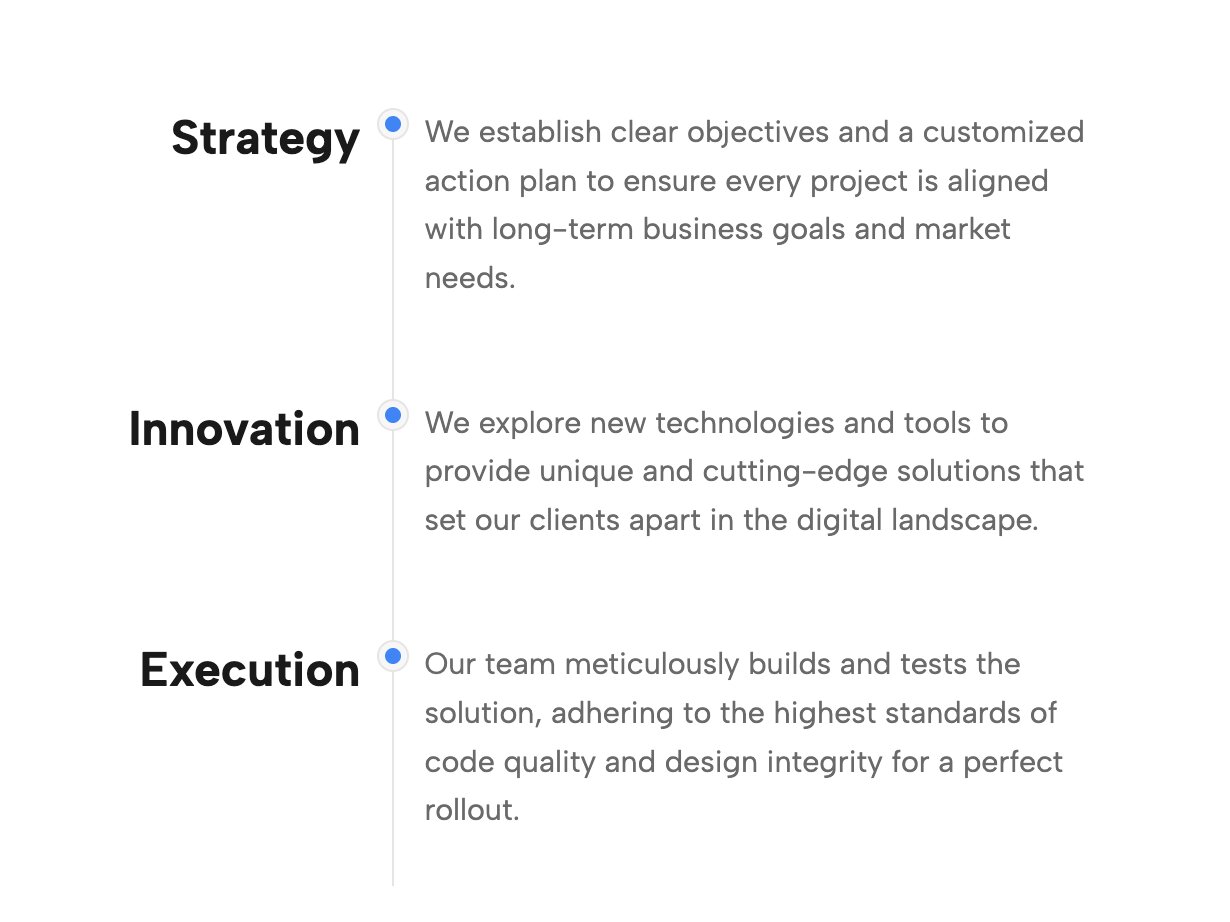
If you have decades of history or a massive dataset to display, standard blocks will make your page incredibly long. This dual-sided layout staggers events efficiently, saving valuable vertical screen real estate while keeping your history highly organized and digestible.
👉 Live Demo: Get it now
14. Bi-Directional Horizontal Timeline & Roadmap
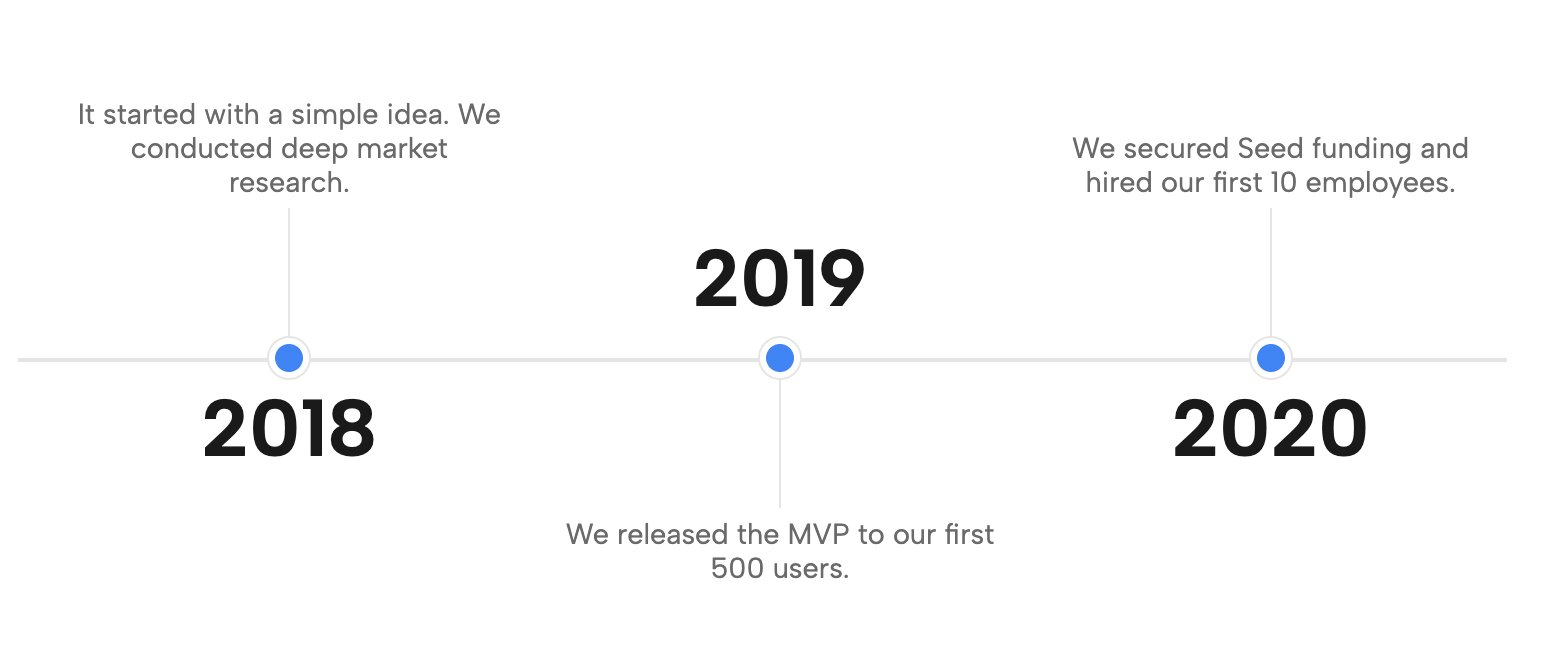
Complex product roadmaps can be a nightmare to format in WordPress. This bi-directional layout allows your path to snake across multiple rows naturally. It is a robust, responsive solution for managing multi-phase projects that require a lot of explanatory text.
👉 Live Demo: Get it now
15. Professional Vertical Timeline & Roadmap
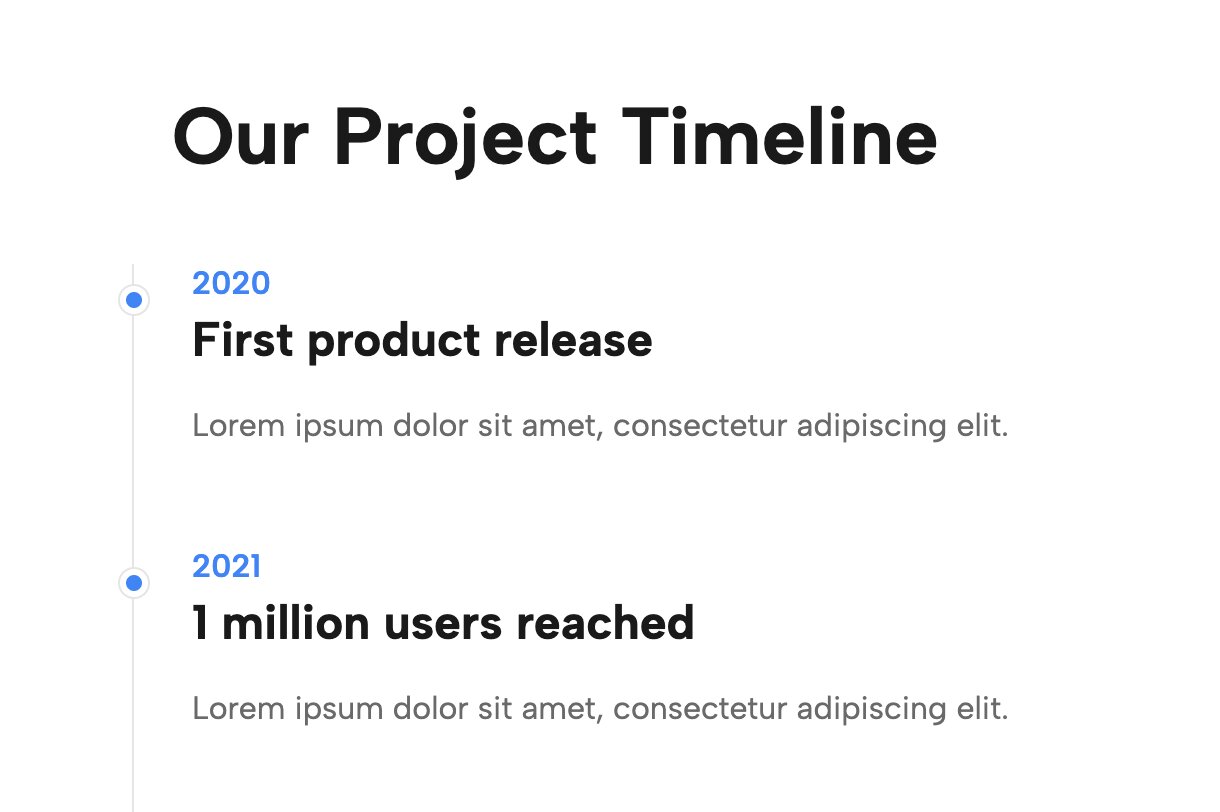
A corporate staple, this layout is easy to read and fits seamlessly into any B2B service site. It balances detailed milestone descriptions with clean, predictable visual markers, proving to potential clients that your company has a reliable, battle-tested process.
👉 Live Demo: Get it now
How to Add These to Your WordPress Site Today
You don't need to purchase heavy, expensive add-on packs to get these beautiful layouts. By installing the official Redesignee WordPress plugin, you gain access to an entire cloud-based library of premium components.
Simply download the plugin, open your favorite page builder (Gutenberg or Elementor), and drag the native Redesignee block onto your page. You can customize the colors, text, and structure in real-time, ensuring your new timeline perfectly matches your brand's unique identity.
Frequently Asked Questions
Does Gutenberg have a native WordPress Timeline block?
No, the default WordPress Gutenberg editor does not include a dedicated WordPress Timeline block. If you want to build a timeline without messing with custom CSS or struggling with misaligned columns, you will need to install a Free wordpress timeline plugin like Redesignee to add that functionality to your editor.
Is there a Timeline plugin WordPress Elementor users can use?
Absolutely. The Redesignee extension isn't just for Gutenberg—it is also a fully functional Timeline plugin WordPress Elementor users can leverage. Once the free plugin is installed, you will see a native Redesignee widget inside your Elementor sidebar, allowing you to drag and drop any of these timeline templates directly onto your page.
Can I create a Horizontal Timeline in WordPress?
Yes! While vertical layouts are the most common, a Horizontal Timeline WordPress design is an excellent way to save vertical screen space and create an interactive, draggable roadmap. You can instantly access a WordPress horizontal Timeline plugin free widget by connecting your site to the Redesignee library and selecting one of the horizontal layouts listed above.


Comments (0)