
If you are trying to figure out how to add a pricing table in WordPress, you have probably already realized one frustrating fact: the native Gutenberg blocks for pricing tables are basic, and styling them requires custom CSS.
Historically, this left website owners with three bad options:
- Try to build a clunky grid using standard column blocks that break on mobile devices.
- Pay a monthly fee for a heavy WordPress pricing table plugin that slows down your site with excessive scripts.
- Hunt down a fragile WordPress pricing table shortcode that is difficult to edit and customize.
Fortunately, there is now a much better way. Using the Redesignee WordPress Plugin, you can visually customize and inject lightweight pricing tables directly into your Elementor or Gutenberg pages for free. No coding required.
Here are 10 ready-made, highly converting free WordPress pricing table templates you can add to your site in seconds.
1. Magnetic Button Pricing Cards

Add a layer of interactive polish to your site. This template features engaging "magnetic" hover effects on the call-to-action buttons, creating a delightful micro-interaction that can help boost your click-through rates. A perfect fit for any modern WordPress theme.
Best for: E-commerce, tech brands, and interactive portfolios.
👉 See the Magnetic Button Cards Demo
2. Dual-Tier WordPress Pricing Table
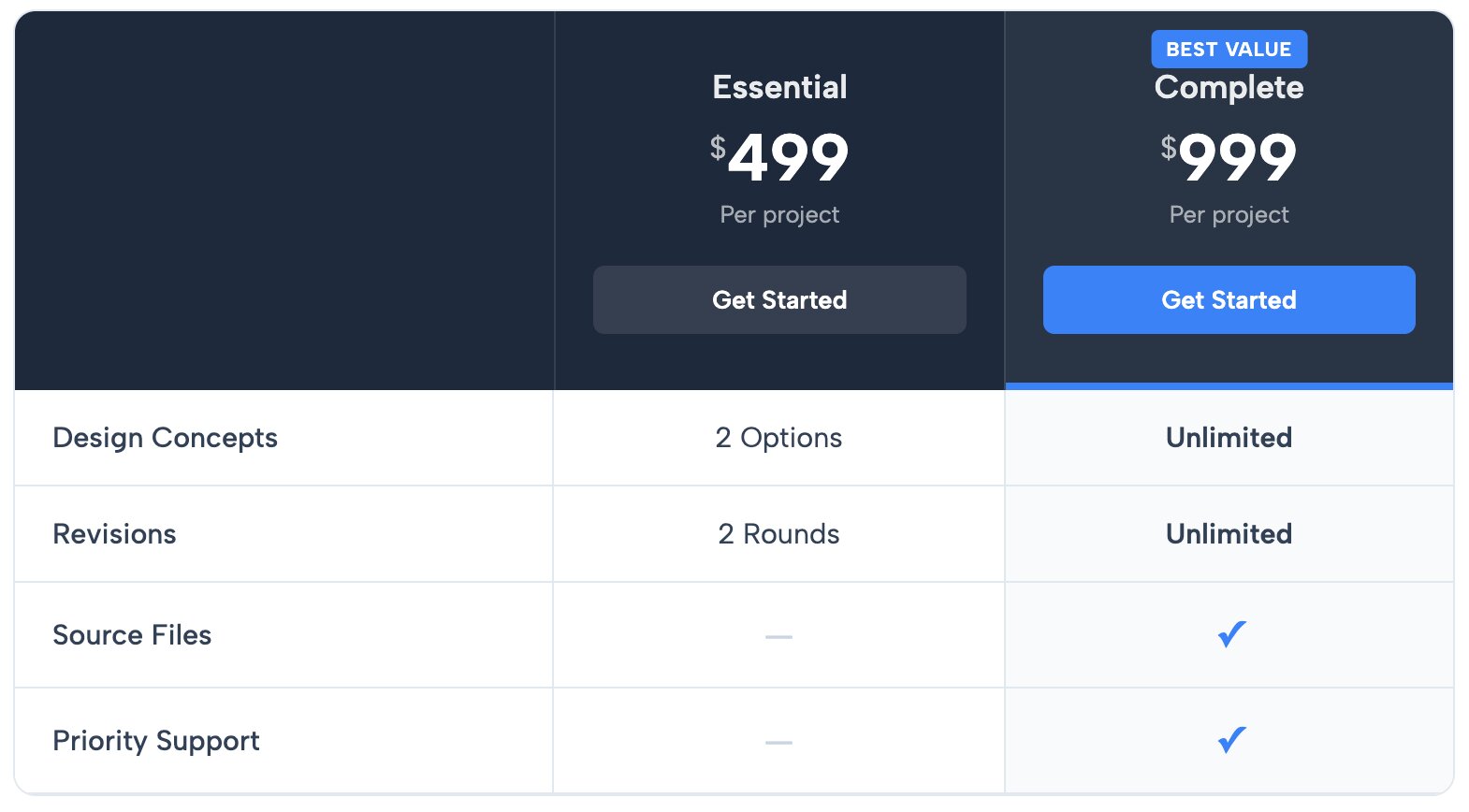
Perfect for SaaS products or service providers offering a straightforward "Basic vs. Pro" choice. The dark header naturally draws the eye, making the contrast between the two tiers clear and easy to read right inside your WordPress page builder.
Best for: Software companies and subscription boxes.
👉 See the Dual-Tier Pricing Table Demo
3. Minimalist Pricing Menu with Accent Circles

A highly creative take on pricing. Instead of rigid boxes, this layout uses stylish circular accents to display the price, giving your WordPress page a custom-coded, premium aesthetic without writing a single line of CSS.
Best for: Photographers, event planners, and creative freelancers.
👉 See the Minimalist Pricing Menu Demo
4. Complex WordPress Comparison and Pricing Table
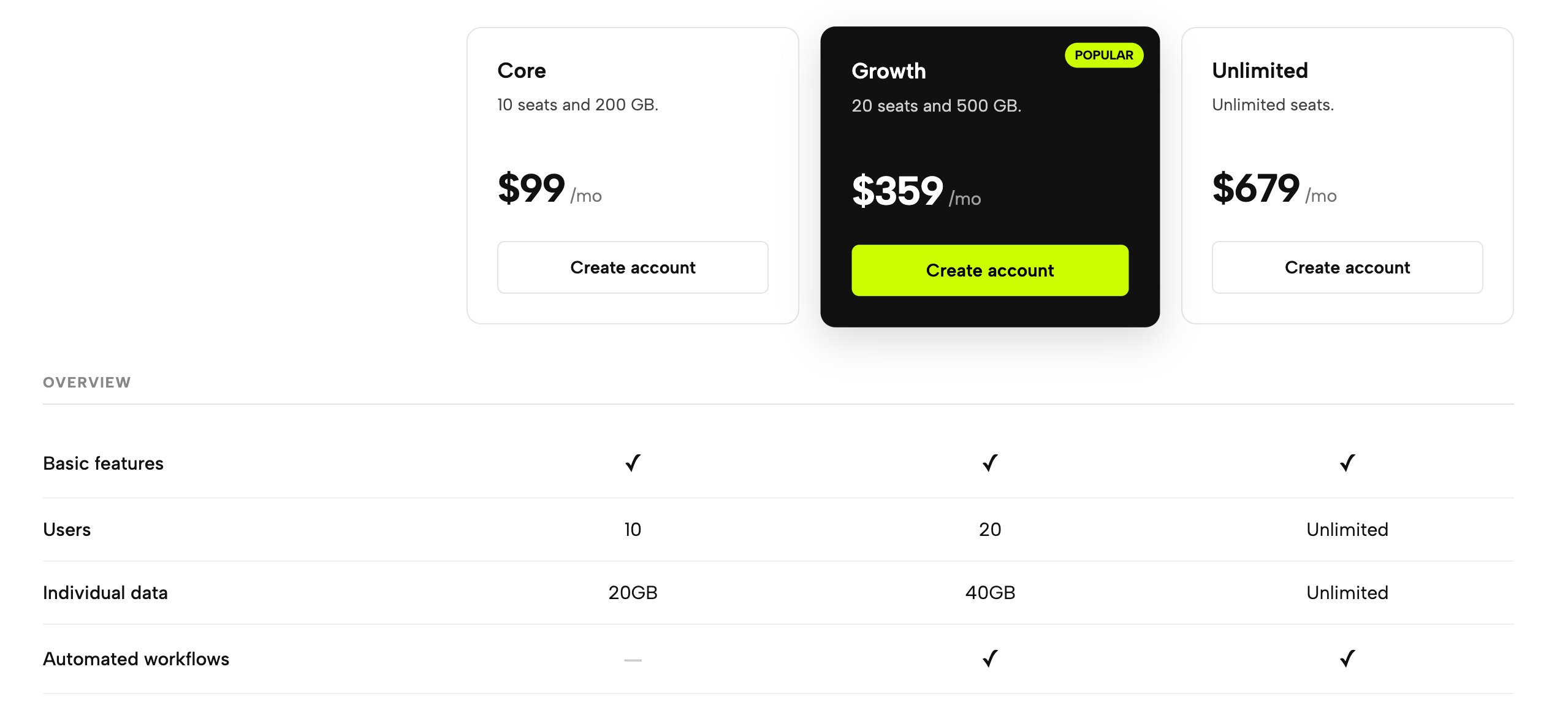
Sometimes, you just have a lot of features to compare. This layout handles dense information elegantly, allowing potential customers to see exactly what is included in every single tier line-by-line.
Best for: Enterprise software, web hosting, and detailed service packages.
👉 See the Complex Comparison Demo
5. Classic WordPress Pricing Plan Cards
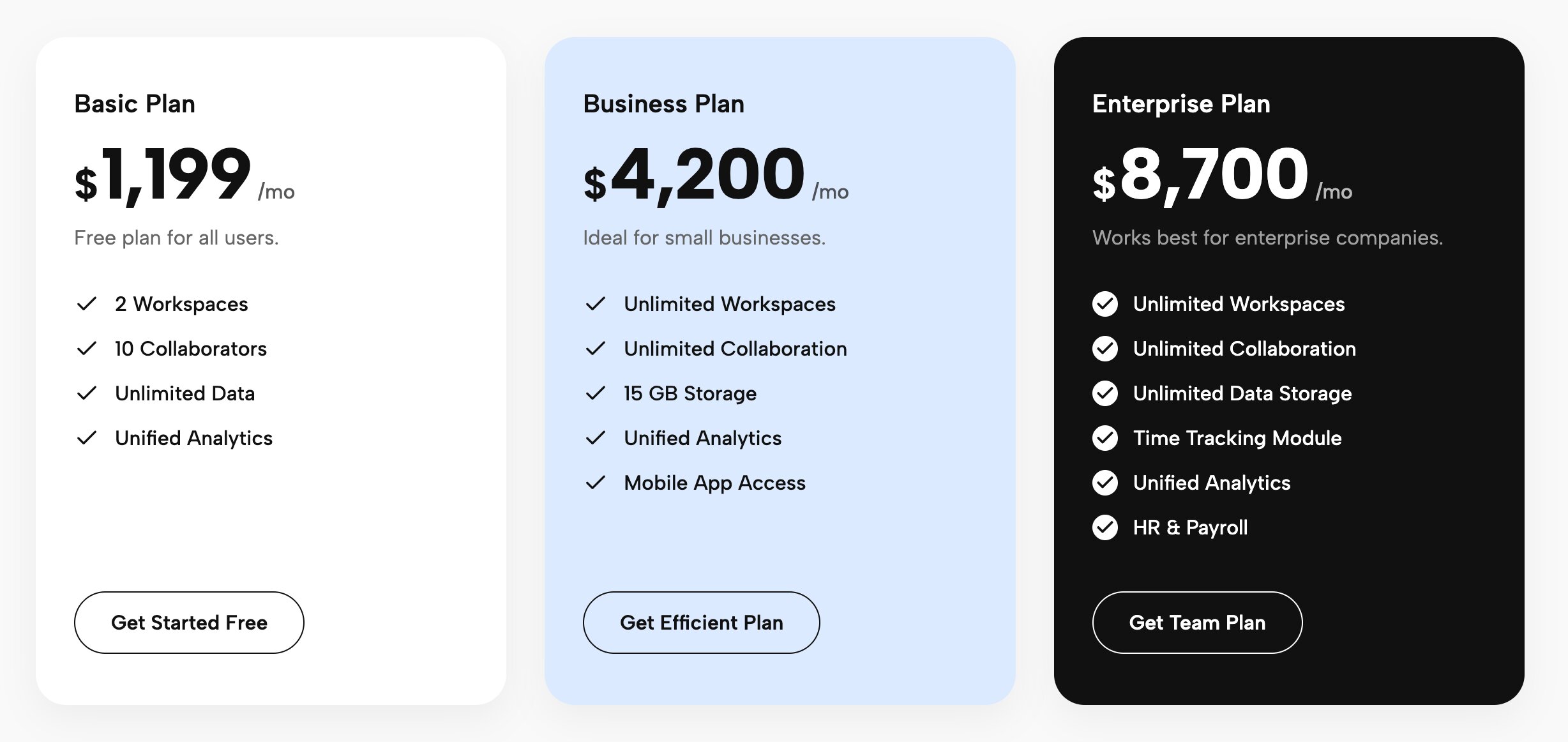
The classic, universally understood three-tier layout. These standalone cards give you plenty of room to list specific features side-by-side without overwhelming the user with a massive grid. They adapt perfectly within Gutenberg or Elementor columns.
Best for: Agencies, consultants, and tiered membership sites.
👉 See the Pricing Plan Cards Demo
6. Bold Pricing Cards with Corner Arrows
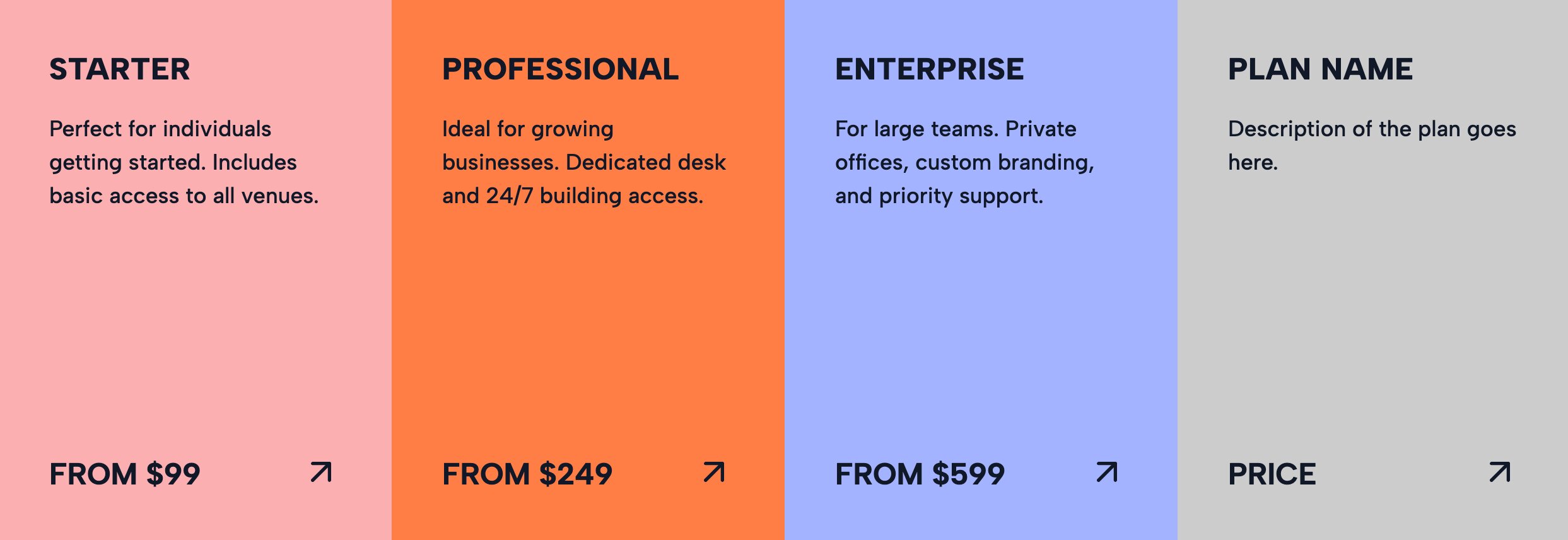
If you want to step away from traditional, boring layouts, this template uses a bold UI with sharp corner arrows. It’s designed for high conversions, encouraging users to click exactly where you want them to.
Best for: Modern startups, design studios, and disruptive brands.
👉 See the Bold Pricing Cards Demo
7. Full-Width Horizontal WordPress Pricing Table
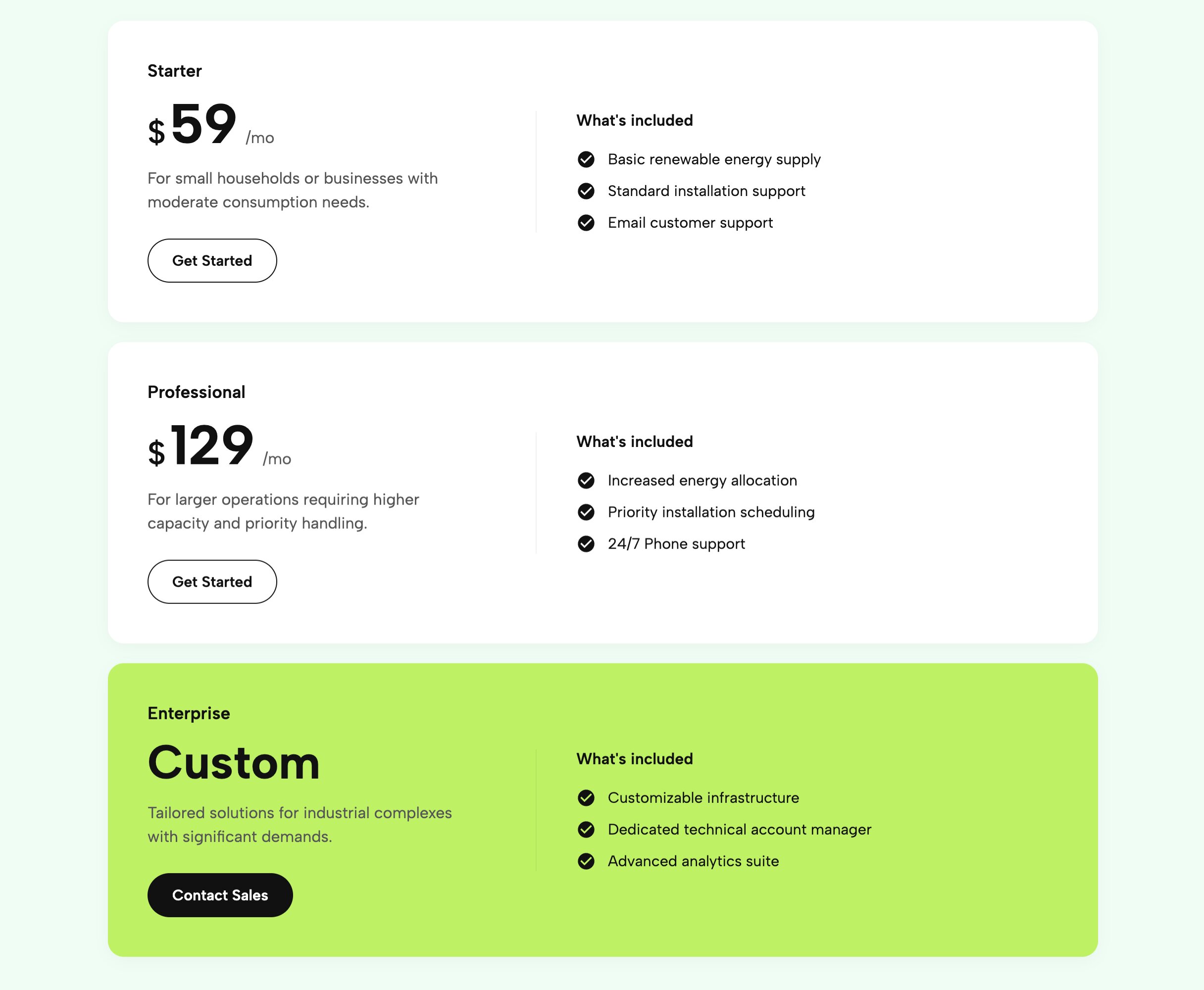
Break out of the standard vertical card mold. This horizontal layout takes up the full width of your page, creating a sleek, timeline-like flow for your pricing tiers that looks incredible on desktop monitors and scales beautifully on mobile.
Best for: Corporate services, B2B platforms, and high-ticket items.
👉 See the Full Width Horizontal Pricing Demo
8. Clean Accent Comparison Table (Flat Design)
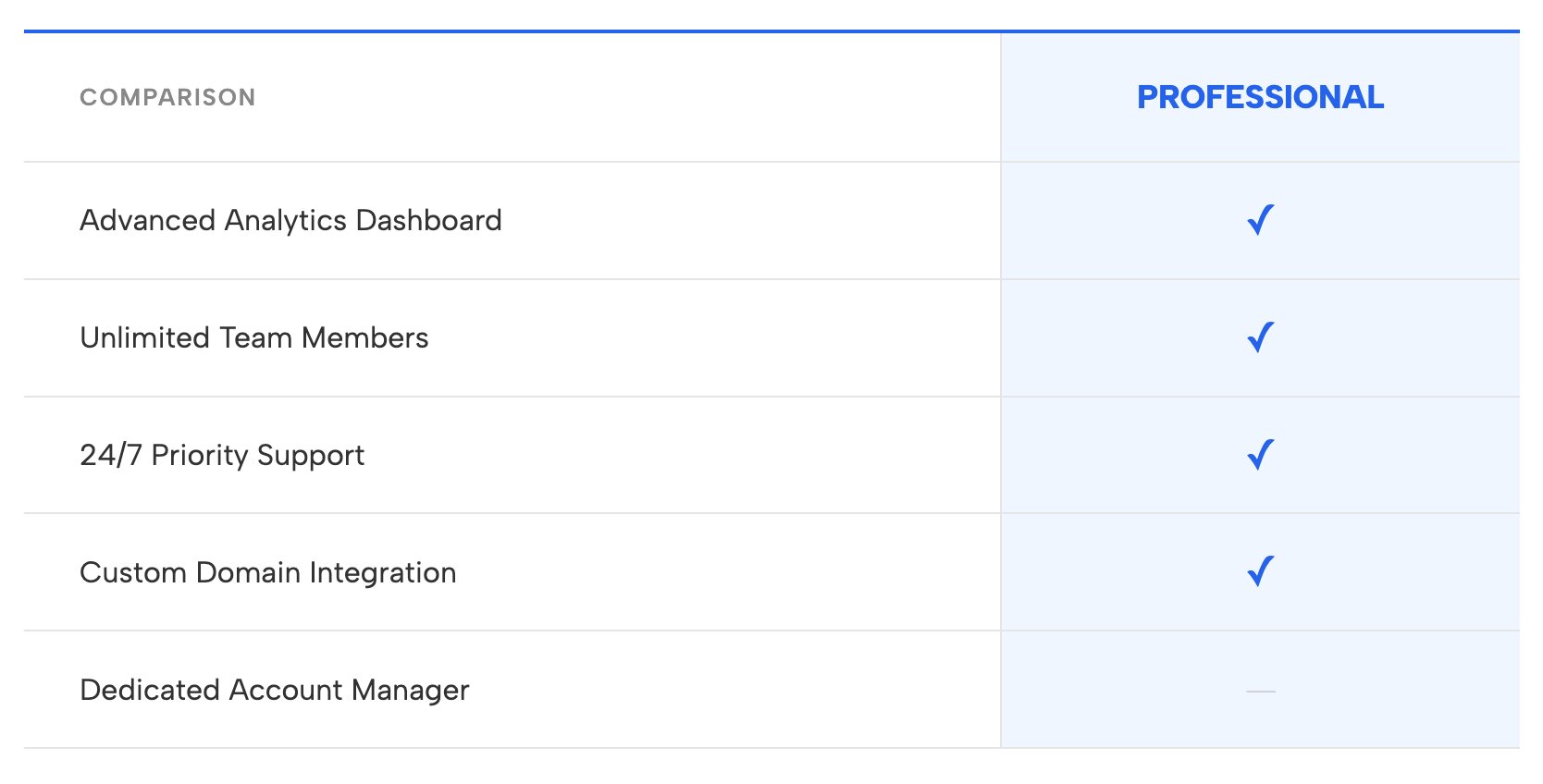
Minimalism never goes out of style. This flat-design template uses subtle accent colors to highlight your most popular tier, keeping the user's focus on your value proposition rather than flashy graphics.
Best for: Lifestyle brands, wellness coaches, and modern portfolios.
👉 See the Clean Accent Table Demo
9. Service Package Cards with Feature Lists
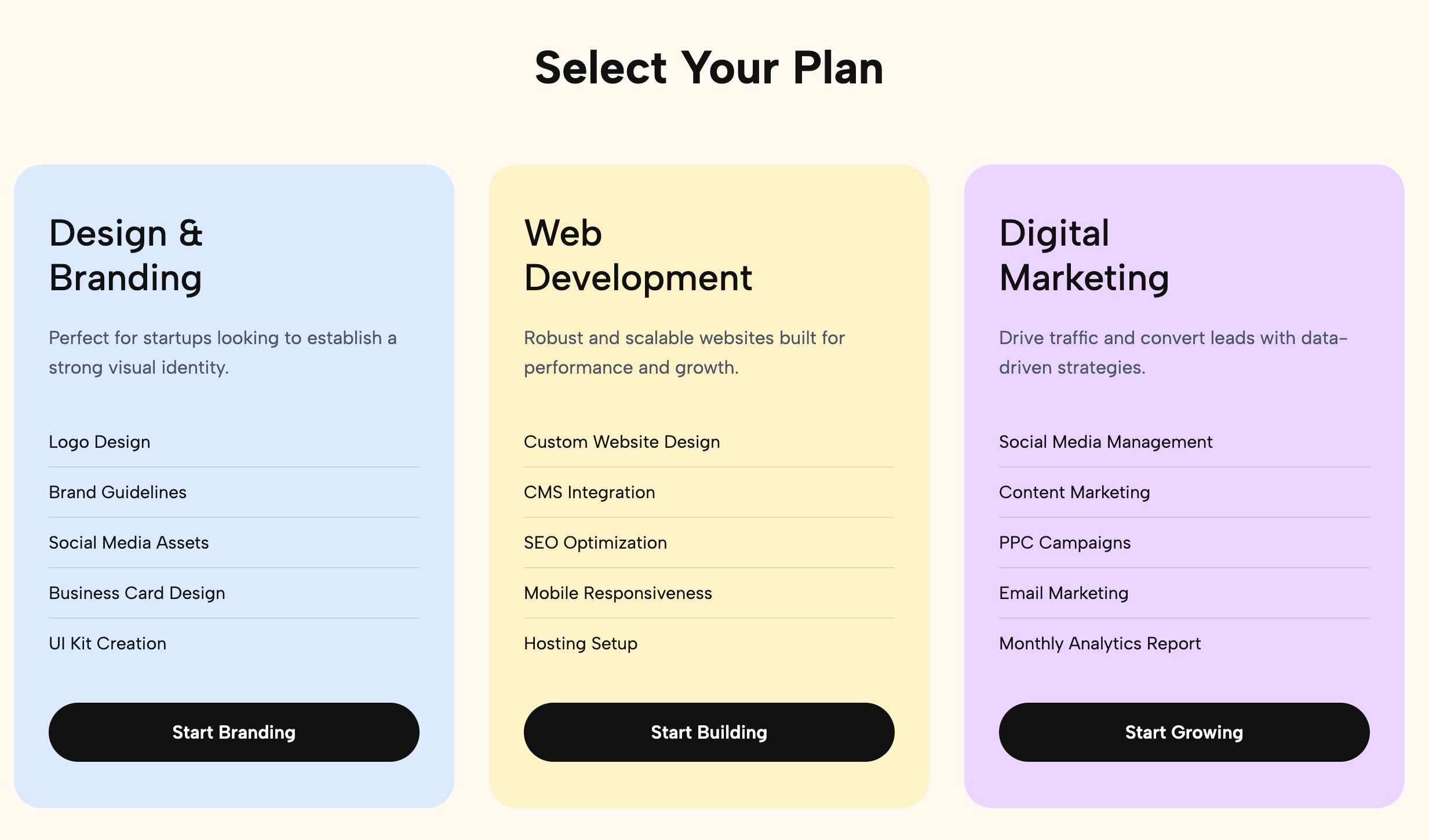
Specifically tailored for service providers, these cards offer a clean hierarchy: a bold package name, a clear price, and a bulleted list of deliverables.
Best for: Copywriters, SEO specialists, and social media managers.
👉 See the Service Package Cards Demo
10. Mobile-Responsive WordPress Pricing Table List
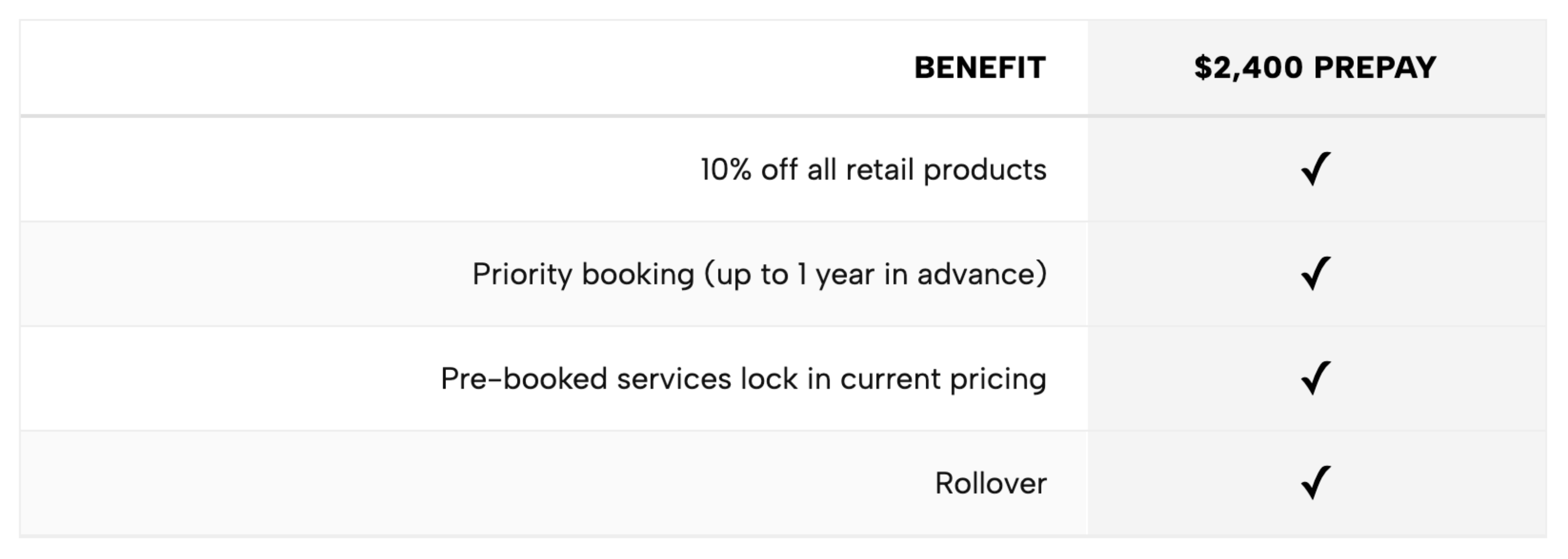
A pricing table is useless if it breaks on an iPhone. This template is heavily optimized for mobile viewing, gracefully collapsing into an intuitive, swipeable, or stacked list for smaller screens across all WordPress themes.
Best for: Any business with high mobile traffic.
👉 See the Responsive Comparison Table Demo
How to Install These Pricing Tables on WordPress
Forget about digging into your theme's functions.php or paying monthly fees for heavy third-party plugins.
- Connect Redesignee: Install the free Redesignee WordPress Plugin to your site.
- Choose Your Template: Browse the library of widgets directly from your WordPress dashboard.
- Customize Visually: Use our live, no-code editor to change colors, text, and prices to match your brand.
- Publish Instantly: Click a button to push the clean, lightweight code natively into your Gutenberg or Elementor editor.
By using native widgets rather than an external, bloated WordPress pricing table plugin, you guarantee better loading speeds, flawless mobile responsiveness, and a better experience for your customers.
Frequently Asked Questions (FAQ)
Does WordPress have a built-in pricing table block?
While Gutenberg includes basic columns and table blocks, it does not offer a dedicated, highly-styled pricing table block out of the box. To create a modern layout natively, users often have to stack various elements and write custom CSS, which is frustrating and time-consuming.
How to add a pricing table in WordPress for free?
The easiest way to add a free pricing table is by using the Redesignee WordPress Plugin. Instead of paying for a heavy premium WordPress pricing table plugin, Redesignee allows you to visually customize and deploy modern, responsive pricing templates directly to your site at no cost.
Should I use WordPress pricing table shortcodes?
While you can find various WordPress pricing table shortcodes online or through old plugins, they come with significant drawbacks. Shortcodes are often rigid, hard to style visually, and difficult to update. Using a dedicated visual library like Redesignee gives you the flexibility of a modern page builder without relying on outdated shortcode logic.
Will a WordPress pricing table plugin slow down my site?
It depends heavily on the plugin. Many traditional pricing table plugins load extensive CSS and JavaScript files across every page of your website, negatively impacting your loading speed and SEO. Redesignee avoids this by injecting clean, lightweight code directly into the specific page, ensuring your site remains lightning-fast.






Comments (0)