
Last updated: August 4, 2026
Creating advanced, interactive tabbed layouts can dramatically improve your website's user experience by organizing dense information into clean, digestible sections. However, if you are building on Squarespace, you already know that the platform lacks native Squarespace tabs.
If you have ever gone down the rabbit hole of searching for how to create tabs in Squarespace using JavaScript, you know it can quickly become a coding nightmare. You don't need to figure out how to add jQuery to Squarespace or risk breaking your site's template with custom code injections. Furthermore, instead of relying on a heavy Squarespace tabs plugin that bogs down your loading speed and hurts your SEO, there is a much more elegant solution.
By connecting the Redesignee extension to your Squarespace site, you can instantly deploy beautiful, lightweight Squarespace tabs without touching a single line of code. You simply browse the library, customize the widget in a live visual editor, and push it directly to your site.
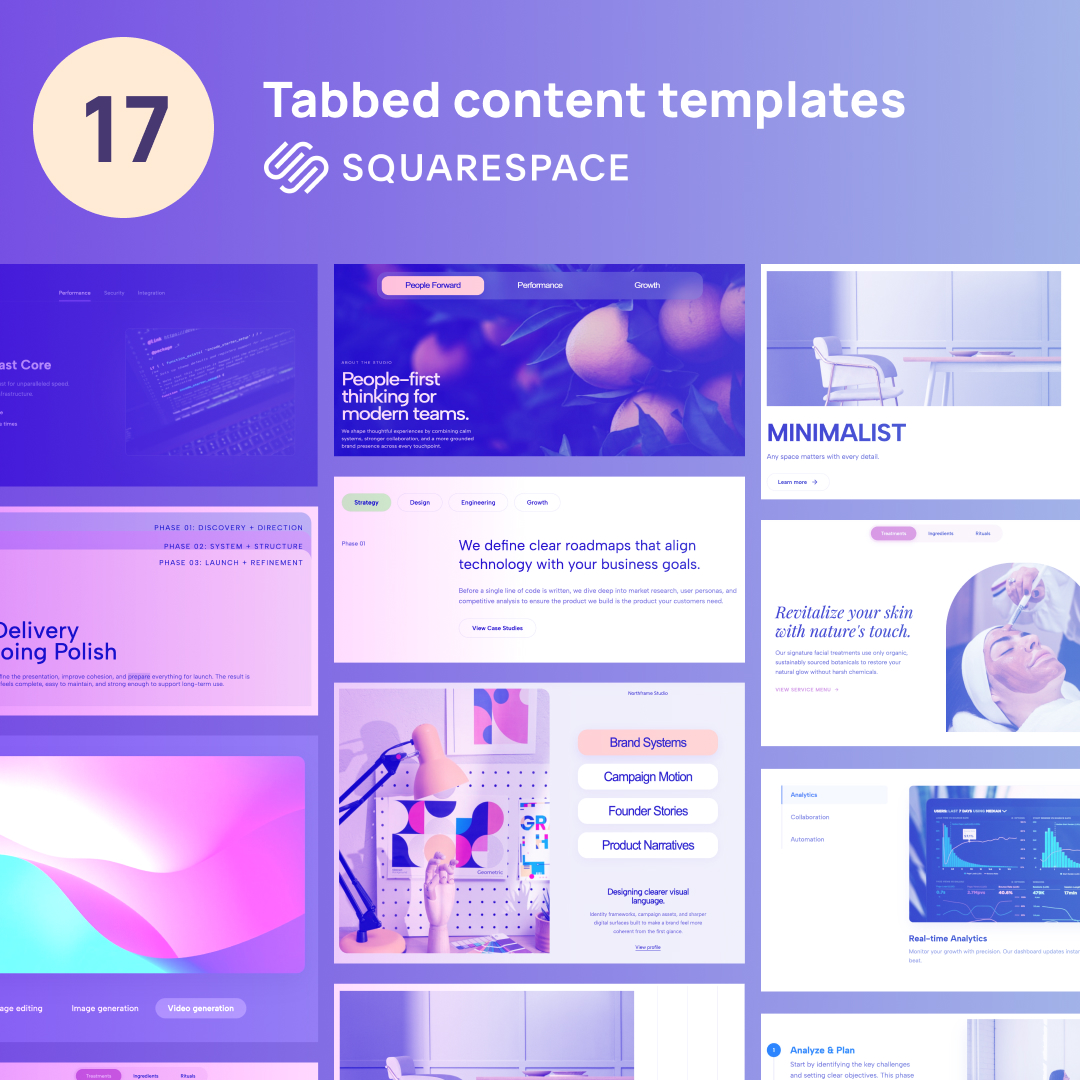
Whether you need sleek horizontal layouts or advanced Vertical tabs Squarespace widgets, here are 17 premium tab components you can add to your site in seconds.
1. Story Tabs Hero
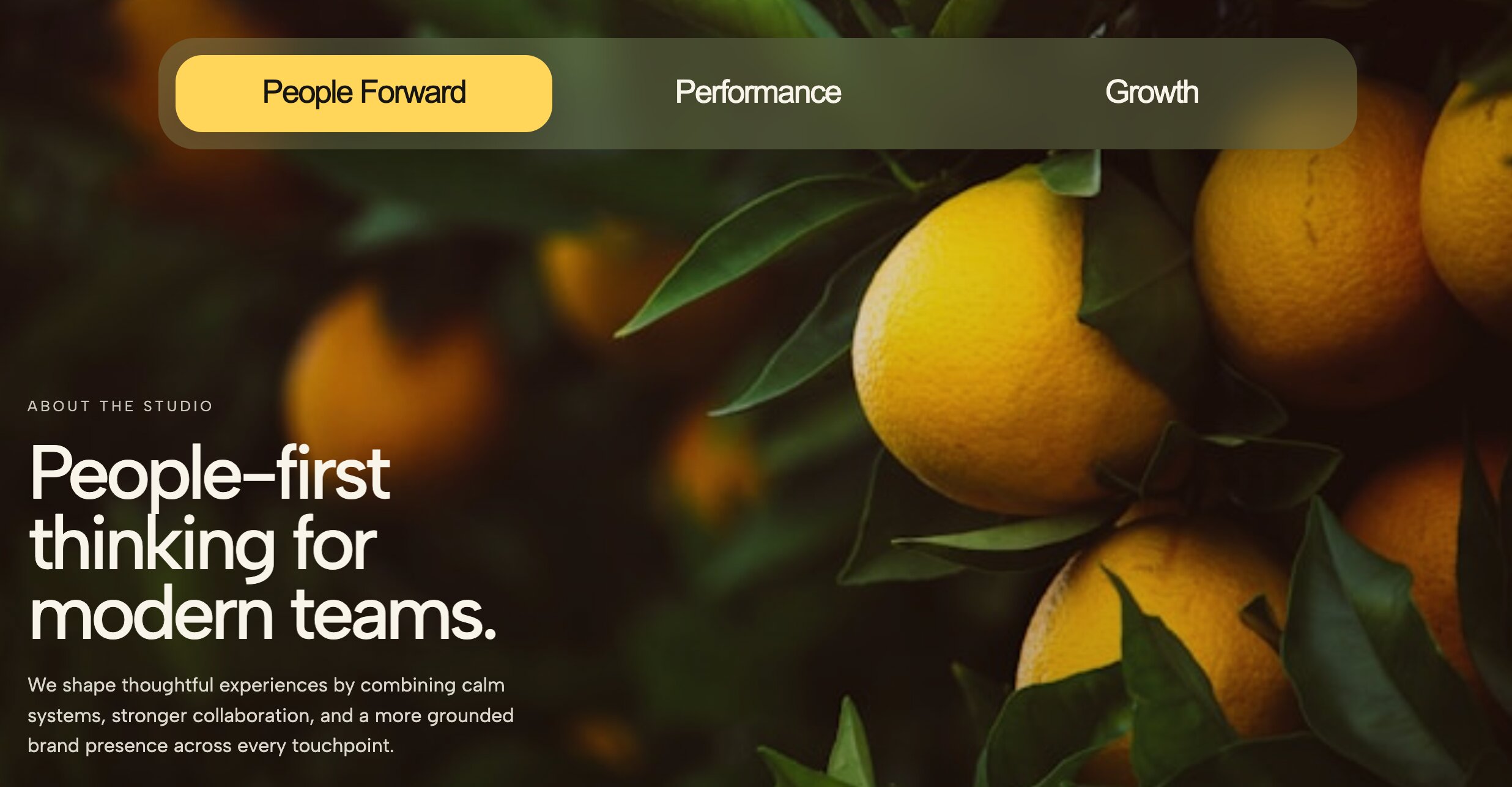
This widget transforms your standard hero section into an interactive, full-width storytelling canvas.
Look: It features a visually striking, edge-to-edge layout where the tabbed navigation is seamlessly integrated into the hero image or video background.
Functionality: It switches the main hero content, headline, and call-to-action instantly without requiring a page reload.
Use Case: Perfect for homepage headers or main product landing pages where you want to highlight multiple core offerings immediately.
2. Layered Editorial Tab Stack

Bring the sophistication of print media to your digital space with this highly stylized component.
Look: Boasts a high-fashion, editorial aesthetic with overlapping elements, staggered imagery, and sophisticated serif typography.
Functionality: Provides smooth, elegant fade transitions between stacked content panes, creating a premium browsing experience.
Use Case: Ideal for lifestyle brands, creative portfolios, and digital magazines looking to showcase curated content.
👉 Get the Layered Editorial Tab Stack
3. Editorial Image Tabs Showcase

A highly visual layout designed to let your photography do the heavy lifting.
Look: A crisp, magazine-style layout that pairs large, high-resolution imagery with clean, unobtrusive text tabs.
Functionality: Operates as an image-driven navigation tool; clicking a minimal text tab instantly reveals a gorgeous corresponding photo and brief description.
Use Case: Excellent for fashion lookbooks, architecture showcases, or premium service highlights.
👉 Get the Editorial Image Tabs Showcase
4. Tabbed Image Showcase
Organize large visual libraries without overwhelming your visitors.
Look: A clean, modern gallery layout that keeps the focus entirely on your visual assets.
Functionality: Sorts high volumes of images into neat, clickable categories, allowing users to filter portfolios effortlessly.
Use Case: The perfect solution for photography portfolios, artist galleries, or e-commerce product catalogs.
👉 Get the Tabbed Image Showcase
5. Urban Bold Tabs Industrial File Folder Layout
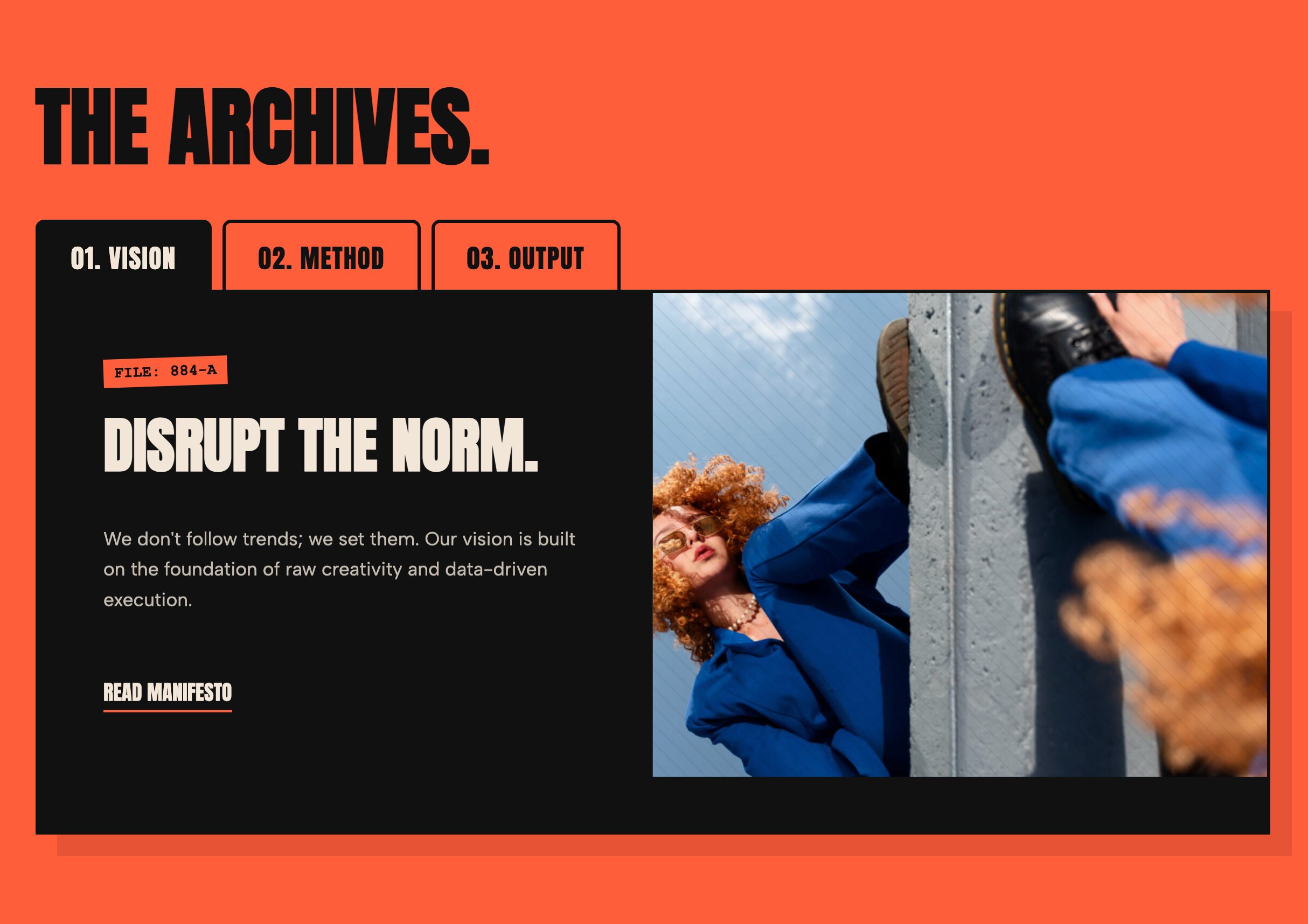
Give your site a tactile, edgy aesthetic that commands attention.
Look: An aggressive, brutalist design mimicking physical file folders, complete with thick borders, high-contrast colors, and bold typography.
Functionality: Delivers snappy, high-contrast tab switching that feels highly responsive and deliberate.
Use Case: A massive hit for streetwear brands, disruptive creative agencies, and urban design portfolios.
6. Vertical Numbered Tabs Process Steps

Turn complex workflows into simple, digestible steps.
Look: A clean vertical menu featuring prominent numbers next to short titles, paired with a spacious detail panel on the side.
Functionality: Guides users linearly through a sequential process, keeping them focused on one step at a time.
Use Case: Highly effective for "How it works" sections, client onboarding guides, or detailed service methodologies.
👉 Get the Vertical Numbered Tabs
7. Minimalist Vertical Tabs

When less is absolutely more, this widget provides maximum clarity.
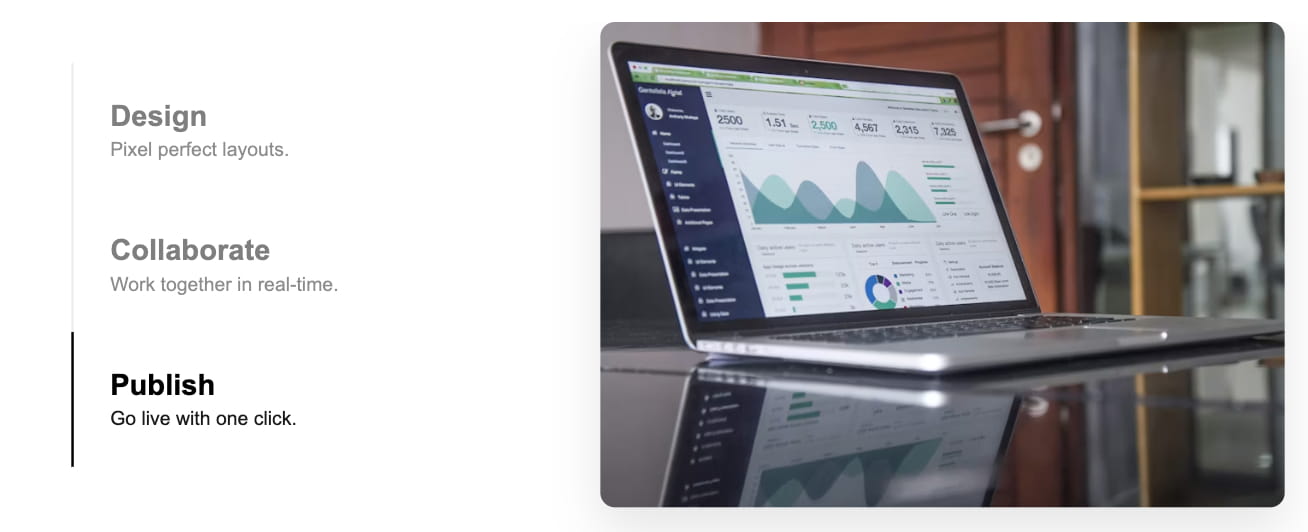
Look: A stripped-back, elegant vertical navigation menu surrounded by ample white space to reduce cognitive load.
Functionality: Switches text-heavy content panes on the right while keeping the minimalist navigation fixed and easily accessible on the left.
Use Case: Ideal for dense FAQ sections, comprehensive pricing details, or clean corporate capability pages.
👉 Get the Minimalist Vertical Tabs
8. Dark Mode Tech Tabs Glowing Cyber Aesthetics

Inject a futuristic, high-tech vibe into your web presence.
Look: Features a sleek dark background, neon glowing accents, and futuristic cyber typography.
Functionality: Offers highly responsive visual feedback on hover and click, mimicking the interface of advanced software.
Use Case: Built specifically for SaaS startups, Web3 projects, cryptocurrency platforms, and gaming portfolios.
9. Split Layout Dynamic Tabs

Achieve perfect balance with this highly structured component.
Look: A meticulously balanced 50/50 split screen with interactive tabs on one side and a dynamic content area on the other.
Functionality: Replaces content dynamically within a fixed viewport, preventing the page from jumping or shifting during navigation.
Use Case: Great for feature comparisons, dual-narrative brand stories, or presenting distinct target audience solutions.
👉 Get the Split Layout Dynamic Tabs
10. Dynamic Text-Only Tabs with Split Content

A typography-focused design that proves you don't always need images to make an impact.
Look: Relies heavily on font weight, scale, and typographic hierarchy to create visual interest without relying on photos.
Functionality: Instantly and cleanly swaps text-heavy content areas, making reading long-form information a breeze.
Use Case: Perfect for dense information hubs, company histories, mission statements, or policy pages.
👉 Get the Dynamic Text Only Tabs
11. Segmented Control Tabs Modern App Interface

Bring native mobile app functionality directly to your website.
Look: Designed to replicate a native iOS or Android segmented control button group, providing immediate user familiarity.
Functionality: Offers an intuitive toggle action between distinct, mutually exclusive views.
Use Case: The absolute best choice for pricing toggles (e.g., Monthly vs. Yearly), dashboard interfaces, or app landing pages.
👉 Get the Segmented Control Tabs
12. SaaS Feature Tabs Minimalist Vertical Navigation

Showcase your software's capabilities without forcing users to scroll endlessly.
Look: A professional, crisp vertical menu paired seamlessly with feature highlights, descriptive text, and crisp icons.
Functionality: Allows users to rapidly explore different software modules or features within a single, condensed section.
Use Case: Tailor-made for software product pages, B2B service outlines, and tech platform tours.
13. Dynamic Aesthetic Tabs Feminine and Editorial Style

Add a touch of grace and refinement to your tabbed content.
Look: Utilizes soft color palettes, elegant serif fonts, and delicate spacing to create a welcoming, upscale vibe.
Functionality: Features graceful, slow-fading transitions between content blocks to maintain a calm browsing experience.
Use Case: Highly recommended for beauty brands, wellness blogs, boutique studios, and high-end event planners.
👉 Get the Dynamic Aesthetic Tabs
14. Vertical Process Accordion Tab Slider

A space-saving hybrid that maximizes your screen real estate.
Look: A smart cross between a vertical tab menu and an accordion, resulting in a highly compact, organized layout.
Functionality: Expands the selected content area while smoothly sliding unselected items out of the way.
Use Case: Excellent for mobile-optimized process explanations, condensed service lists, or step-by-step tutorials.
👉 Get the Vertical Process Accordion
15. Auto-Switching Tab Slider

Create a passive, engaging experience for users who prefer to watch rather than click.
Look: A dynamic presentation that functions like a seamless slideshow perfectly paired with clearly labeled tabs.
Functionality: Automatically cycles through the tabs after a set duration, but intelligently pauses as soon as a user hovers or interacts.
Use Case: Perfect for engaging homepage banners, automated feature highlights, or sponsor showcases.
👉 Get the Auto-Switching Tab Slider
16. Modern Vertical Tab Slider

A contemporary take on standard vertical navigation.
Look: A bold vertical menu featuring a sleek, smooth-sliding indicator that tracks the user's active selection.
Functionality: Fluidly slides to reveal content, providing excellent spatial context so users always know where they are in the menu.
Use Case: Great for detailing corporate capabilities, comprehensive product specifications, or extensive menu items.
👉 Get the Modern Vertical Tab Slider
17. Editorial Split Tab Slider

Merge the beauty of print design with the engagement of modern web sliders.
Look: A high-end magazine layout split perfectly down the middle, balancing striking visuals with clean typography.
Functionality: Supports both automated cycling and manual sliding, giving users control over how they consume the editorial content.
Use Case: The ultimate layout for fashion lookbooks, luxury real estate showcases, and premium brand storytelling.
👉 Get the Editorial Split Tab Slider
How to Install These Tab Widgets Without Coding
You do not need to learn JavaScript, inject external scripts, or bog down your loading speeds with bloated plugins to get these advanced layouts on your site. By connecting your site to the Redesignee Squarespace Extension, you can access all 17 of these premium tab widgets instantly.
Simply browse the library from your dashboard, customize your text, images, and brand colors in our live visual editor, and inject the clean, lightweight code directly into your pages. It is the fastest, safest, and most efficient way to upgrade your Squarespace site’s user experience without ever worrying about broken templates or complex code implementations.
Frequently Asked Questions About Squarespace Tabs
Does Squarespace have a native tabs block?
No, Squarespace does not currently offer a built-in block for Squarespace tabs. To achieve this look natively, users are forced to stack text blocks or use summary blocks, which doesn't provide a true interactive tabbed experience.
What is the best way to add Squarespace tabs?
The best and most performance-friendly way to add Squarespace tabs is by using natively integrated widgets like those provided by the Redesignee extension. This avoids the need to paste fragile custom CSS or jQuery into your site's code injection areas.
Are these Squarespace tabs mobile-friendly?
Yes, all of the Squarespace tabs featured in this list are fully responsive. They are specifically engineered to convert into stacked accordions, swipeable carousels, or touch-friendly mobile menus automatically when viewed on smaller screens, ensuring a flawless user experience on any device.


Comments (0)