
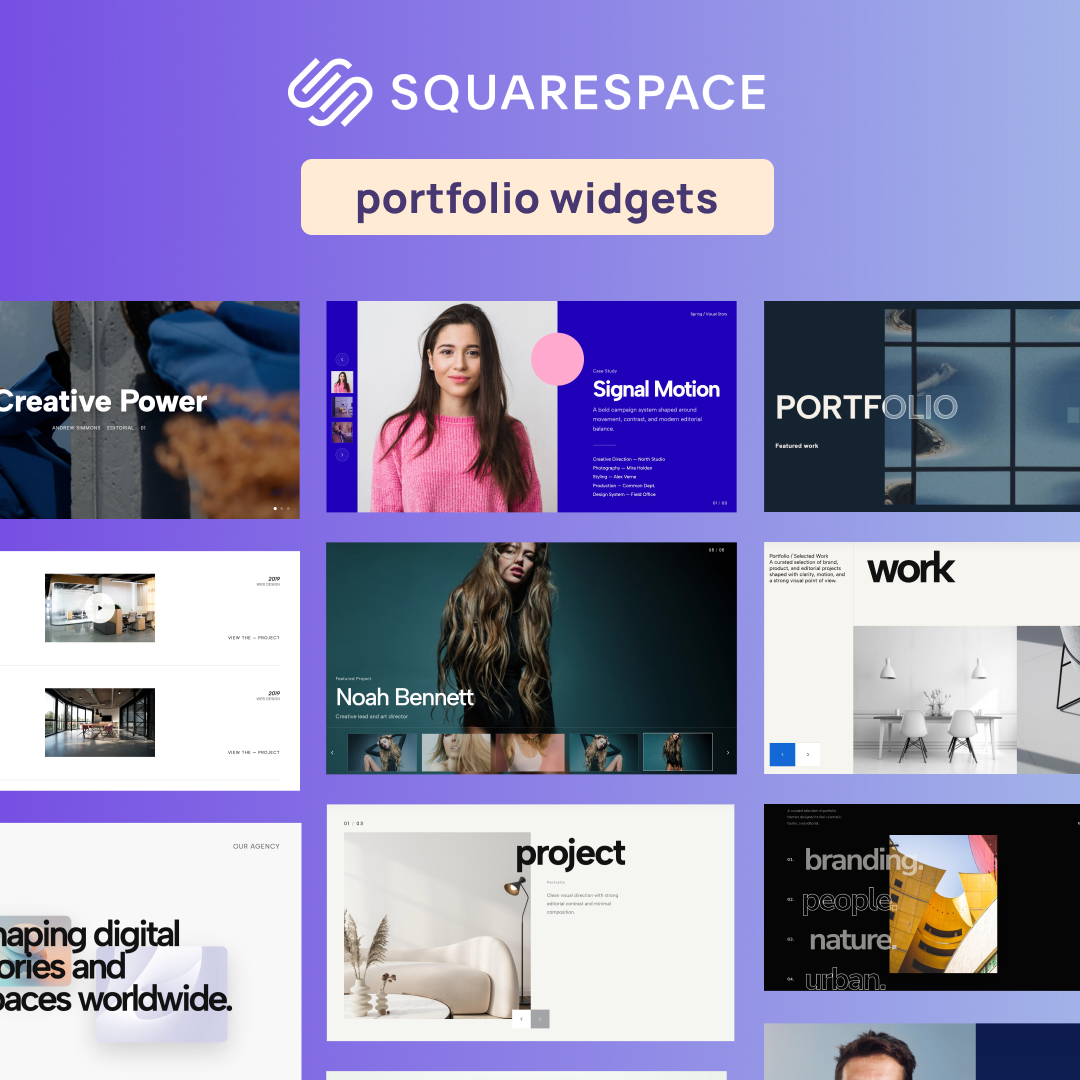
If you are a designer, photographer, agency, or creative director, your portfolio is your primary sales engine. While Squarespace 7.1 and Fluid Engine offer a great foundation, native portfolio blocks often fall short. From missing video slider options and rigid aspect ratios to the lack of built-in project filtering, creatives frequently find themselves searching for Squarespace plugins for portfolio sites to bridge the gap.
Historically, adding these features meant buying expensive individual code snippets or wrestling with fragile custom CSS that breaks whenever Squarespace updates.
Fortunately, you don’t need a developer or a stack of paid subscriptions to build a world-class portfolio. Below are the 10 best free Squarespace portfolio plugins and a step-by-step guide on how to add them to your site in under a minute without writing a single line of code.
How to Access Free Portfolio Plugins with Redesignee
Instead of downloading separate code files or managing risky code injections, you can access an entire library of portfolio widgets using the Redesignee Extension.
Connecting it to your site takes less than 60 seconds:
- Install the Extension: Connect the free Redesignee extension to your Squarespace site.
- Open Your Page Editor: Edit any page in your Squarespace 7.1 layout.
- Add a Redesignee Block: Click to add a new block in Fluid Engine—you will now see a dedicated "Redesignee widget" block option.
- Choose & Customize: Open the widget library inside your editor, search for any portfolio plugin, customize the colors and sizing visually, and hit save.
All widgets are built with clean HTML5 and lightweight JavaScript, ensuring your site stays lightning-fast for maximum SEO benefit.
10 Best Free Squarespace Portfolio Plugins
1. Outlined Overlap Hero

The hero section is your digital handshake, and relying on a standard, flat image block is a missed opportunity. This widget uses striking, oversized outlined typography intertwined with overlapping structural elements. It creates a bold, multi-dimensional aesthetic that grabs attention the second your page loads, acting as a high-impact alternative to standard native header layouts.
Why it works for your portfolio: If you are looking for a Squarespace portfolio plugin that screams "bespoke," this layout shatters the rigid, boxy constraints of native themes. It gives your homepage header a raw, custom-coded editorial edge that perfectly frames your creative identity while remaining fully responsive inside Fluid Engine.
👉 Live Demo: Get it now
2. Parallax Scroll Image Gallery
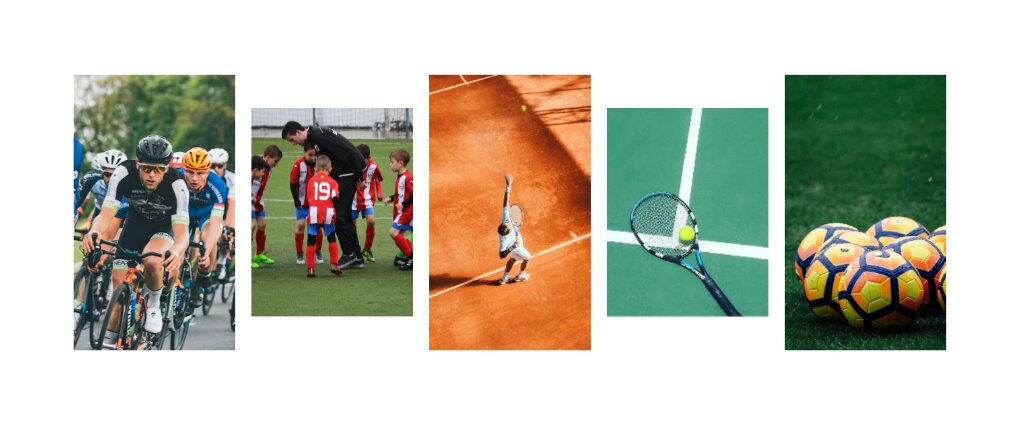
Ditch the static grid. The Parallax Scroll Image Gallery brings your photography, digital mockups, or case study thumbnails to life by moving individual visual elements at multi-layered speeds as the user scrolls down the page. This creates an immersive, 3D-like depth effect that naturally pulls the viewer deeper into your body of work.
Why it works for your portfolio: Building an engaging online showcase relies heavily on keeping user interest high. By integrating one of the best Squarespace gallery plugins for motion, you elevate the browsing experience from a simple scroll to a dynamic visual journey that keeps potential clients on your page longer.
👉 Live Demo: Get it now
3. Scattered Scroll Gallery

If you want to break away from perfect grid alignment and hard edges, the Scattered Scroll Gallery is engineered to disrupt standard page architecture. It floats your images in a loose, organic arrangement. As visitors navigate down the page, the images drift and settle into place, creating a highly tactile, art-gallery-inspired aesthetic.
Why it works for your portfolio: For creative directors, visual artists, and fashion photographers searching for a Squarespace plugins portfolio free solution, this widget is a game-changer. It brings a sense of weightlessness and artistic freedom to your layout, ensuring your work feels curated rather than forcefully aligned.
👉 Live Demo: Get it now
4. Portfolio Hero Carousel with CTA

Your flagship case studies should never be hidden behind multiple navigation layers. This layout combines a high-visibility project carousel right at the top of your homepage, paired seamlessly with a permanently visible Call-To-Action (CTA) panel. Visitors can slide through your top projects while the option to reach out remains accessible at all times.
Why it works for your portfolio: High-performing portfolio design is about lead conversion, not just aesthetics. This no-code widget allows prospective clients to evaluate your top-tier work immediately while keeping your "Start a Project" or "Inquire Now" button front and center to maximize client inquiries.
👉 Live Demo: Get it now
5. Case Studies Carousel with Split Layout
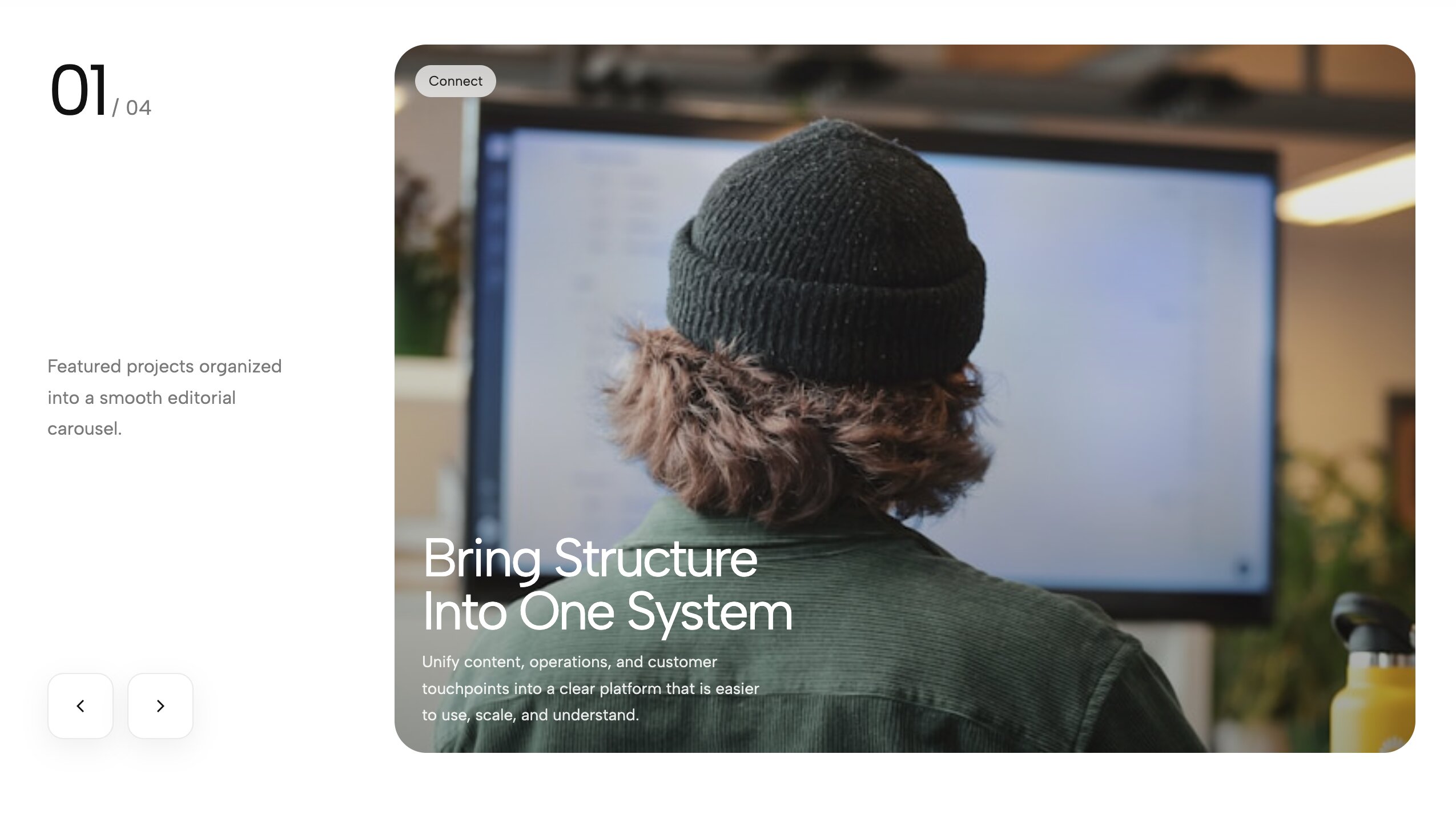
This widget elegantly solves the challenge of balancing detailed narrative copy with high-resolution visual assets. It utilizes a split-screen structure where one side holds project details, client metrics, and deliverables, while the opposite side functions as a smooth, interactive slider showcasing the related case study media.
Why it works for your portfolio: For UI/UX designers, brand strategists, and agencies, project context is critical. This layout serves as a powerful storytelling tool, allowing you to explain your strategic process clearly without sacrificing visual impact or pushing essential copy below the fold.
👉 Live Demo: Get it now
6. Case Study Hero Slider with Left Thumbnails
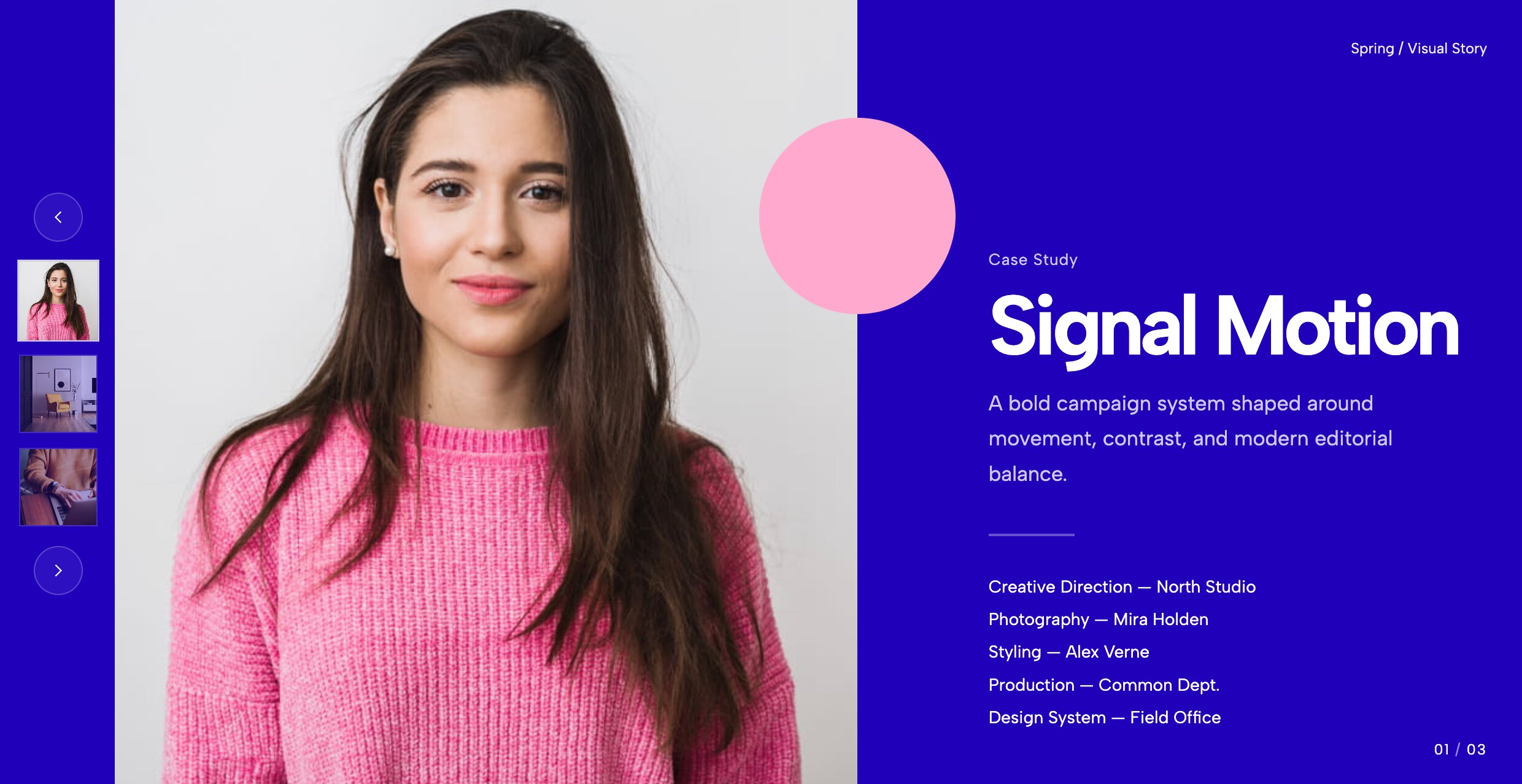
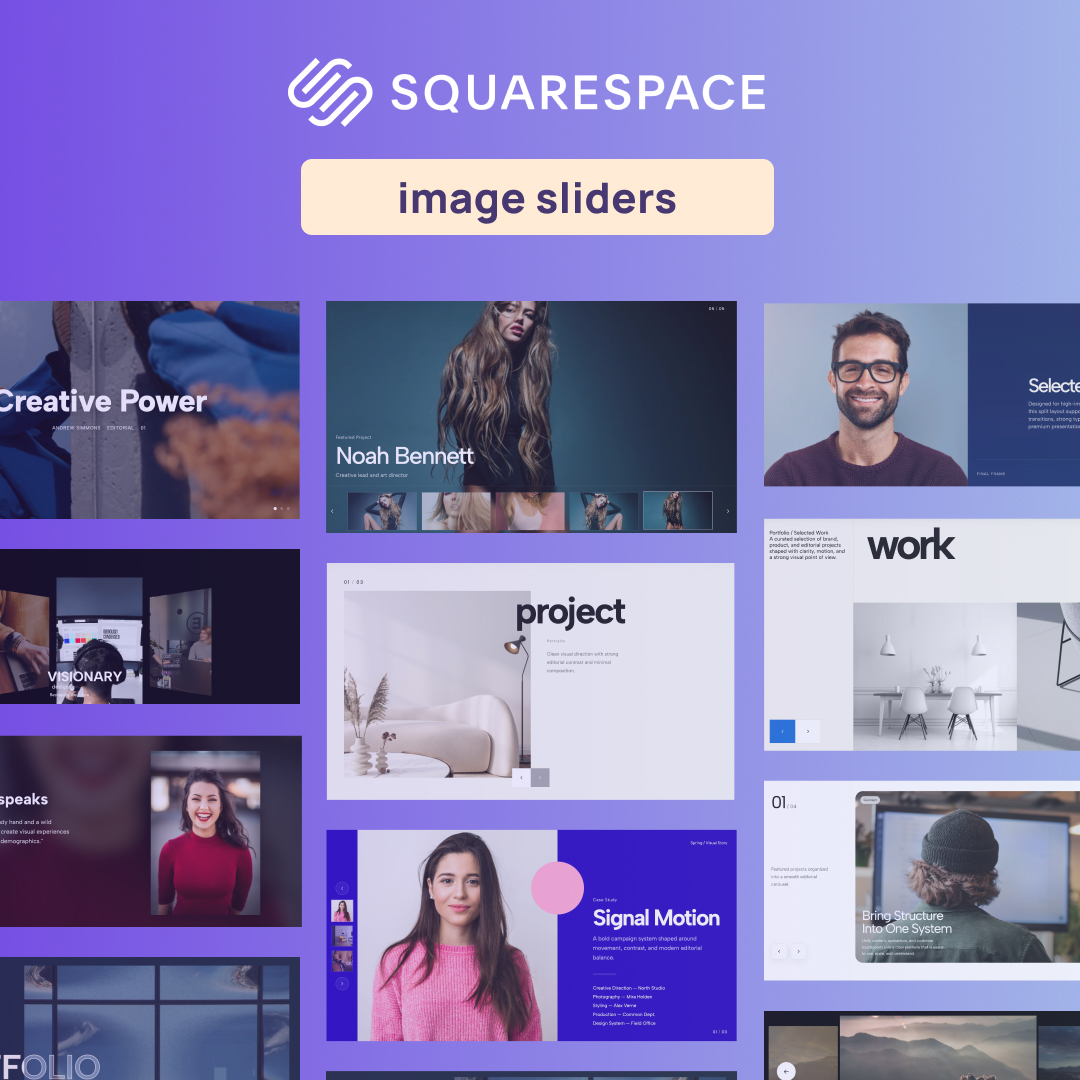
Standard native templates often force visitors to scroll extensively to view different portfolio items. This interactive hero slider brings your best work right to the top of your site, pairing a massive background preview image with a sleek vertical column of clickable project thumbnails stacked on the left side.
Why it works for your portfolio: If you want to build a Squarespace 7.1 portfolio that prioritizes seamless navigation, this layout provides immediate visual feedback. It turns your header into an interactive showcase, encouraging users to explore multiple case studies without ever leaving the top fold.
👉 Live Demo: Get it now
7. Portfolio Hero Slider with Thumb Navigation
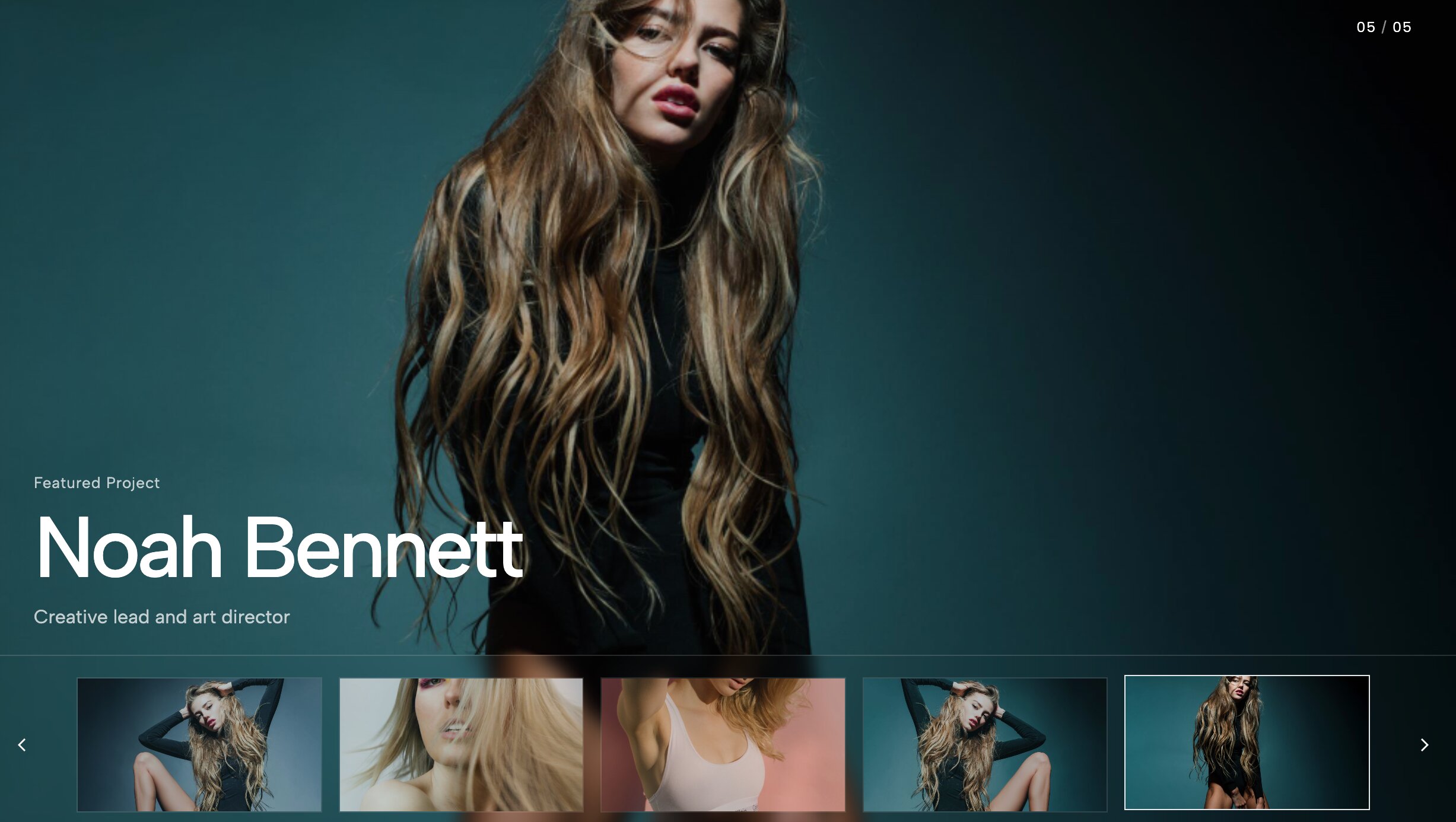
Tailored for a cinematic, horizontal presentation, this widget places a row of interactive thumbnail previews directly beneath or overlaying your main hero slider. The user experience mirrors navigating a premium digital streaming platform or high-end media archive.
Why it works for your portfolio: When prospective clients review dozens of competitor portfolios, rapid visual skimming is essential. By providing a clear preview of upcoming slides, this widget reduces browsing friction and increases the time visitors spend exploring your work.
👉 Live Demo: Get it now
8. Portfolio Overlap Hero

Replace flat, predictable headers with layered depth. This widget uses a refined overlapping structure, placing your high-resolution project photography behind and over bold editorial typography. It breaks the traditional barrier between image and text containers to create a unified design element.
Why it works for your portfolio: To position your services at a premium tier, your website architecture must reflect that expertise. This overlapping layout delivers an expensive, magazine-style look out of the box, offering a seamless upgrade over default platform layouts.
👉 Live Demo: Get it now
9. Awwwards-Style Portfolio Categories Showcase
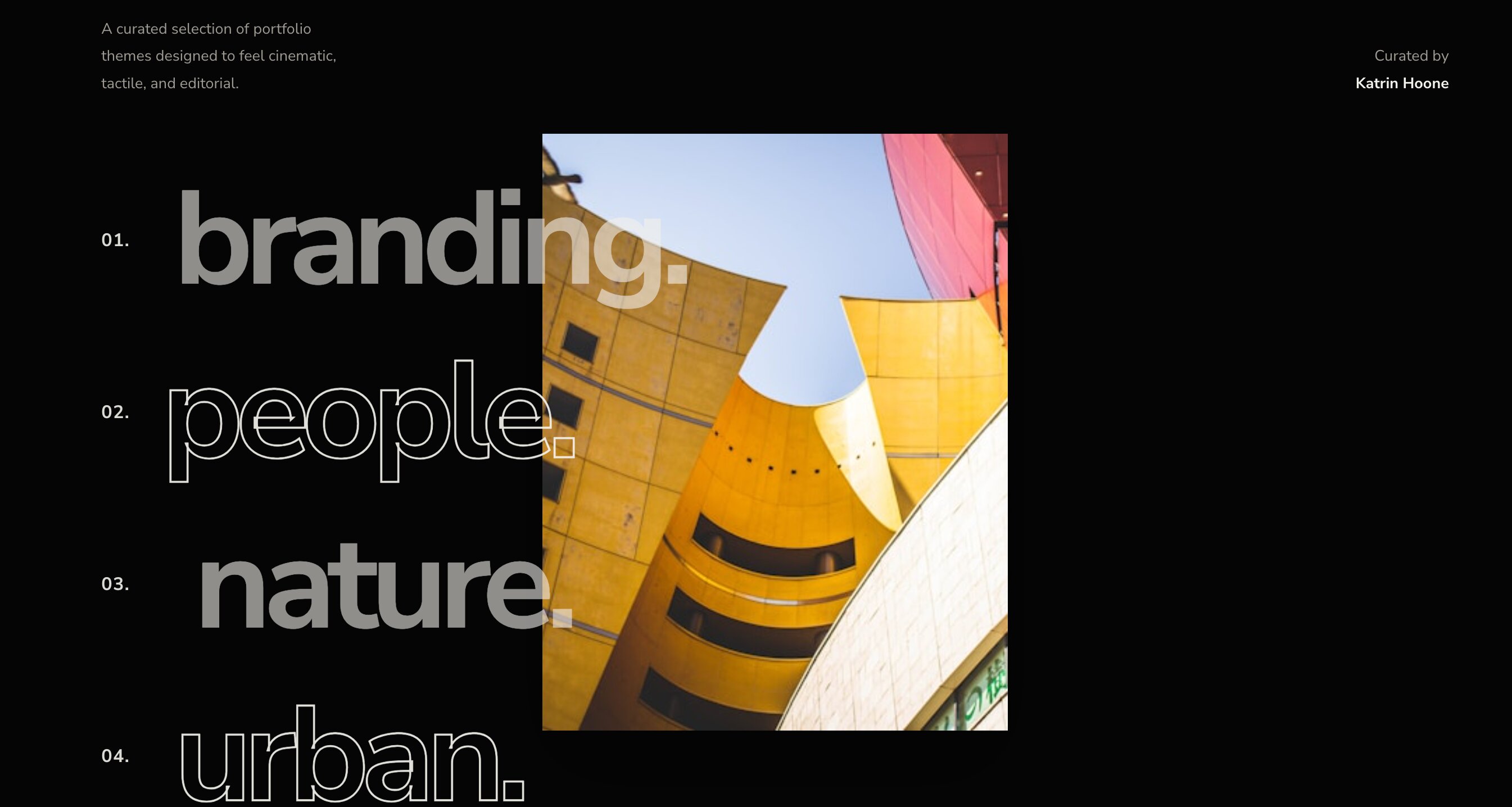
Instead of relying on a standard image grid, this minimalist layout presents an editorial list of your project categories, service offerings, or client names. As the user hovers over each text link, a full-screen preview image or video dynamically reveals itself in the background or tracks alongside the cursor.
Why it works for your portfolio: Similar to a custom Squarespace filter plugin free of page reloads, this widget relies on interactive micro-interactions to engage visitors. It rewards user curiosity and provides an agency-grade experience suitable for design studios aiming to land high-budget client contracts.
👉 Live Demo: Get it now
10. Tilted Infinite Gallery Slider
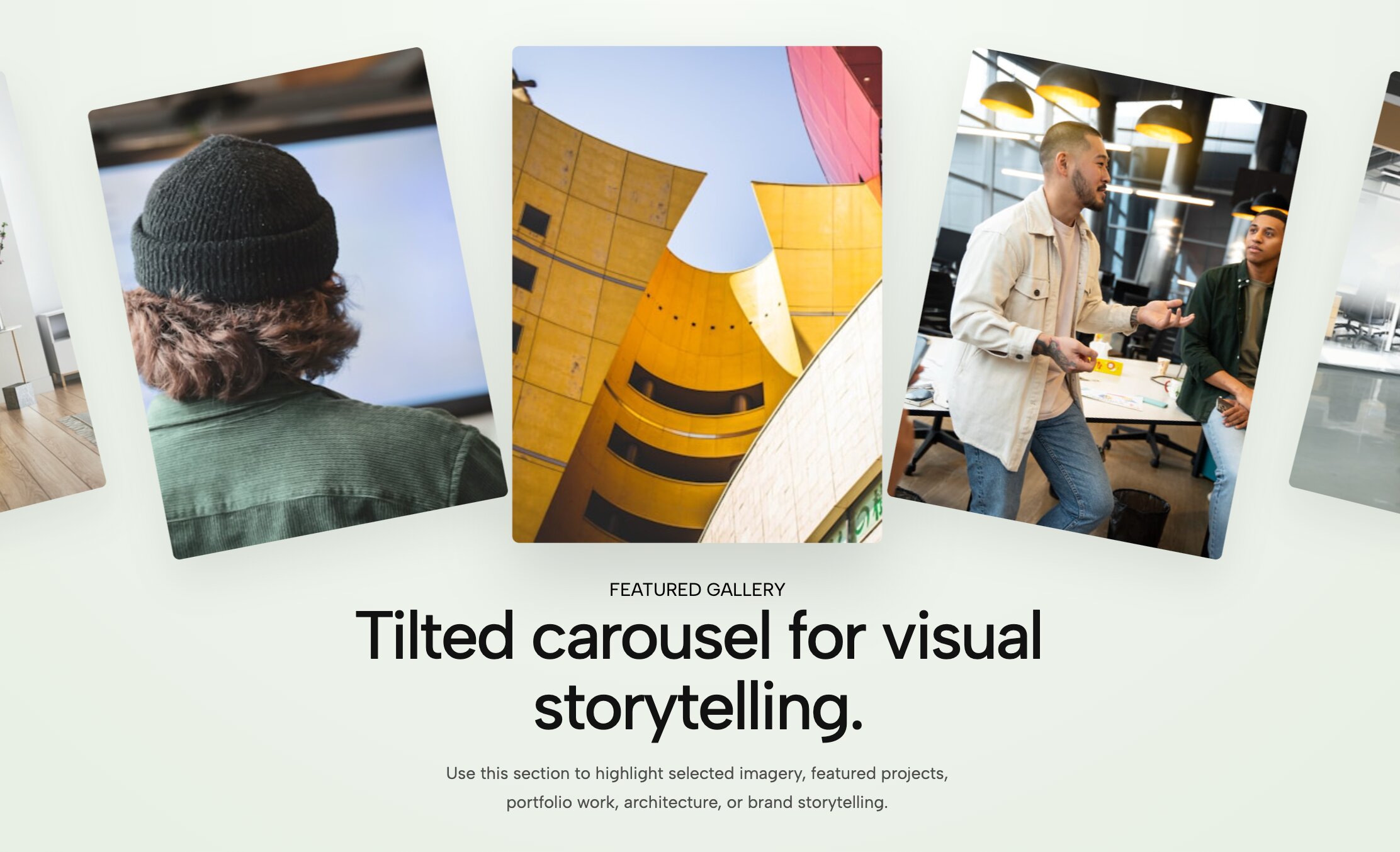
Inject movement into your layout with a diagonal, continuously scrolling image marquee. Instead of a standard horizontal carousel, this widget rotates your project thumbnails on a sharp angle, creating an active, forward-moving loop of your design assets.
Why it works for your portfolio: Standard templates rely heavily on horizontal and vertical lines. By angling the grid axis, this widget creates immediate visual contrast. It is an ideal solution for streetwear brands, motion designers, and creative agencies wanting a distinct, high-energy showcase.
👉 Live Demo: Get it now
Check out more widgets for Squarespace portfolio sites.
Conclusion: Upgrade Your Squarespace Portfolio Without Code
Building a high-converting, agency-grade portfolio doesn't require spending thousands of dollars on custom development or settling for rigid native templates. By leveraging interactive, no-code widgets, you can give your Squarespace portfolio the depth, motion, and polished feel required to stand out in a competitive market and land higher-paying clients.
Unlocking the Full Power of the Redesignee Ecosystem
When you install the free Redesignee Squarespace Extension, you aren't just getting access to portfolio sliders—you are unlocking a comprehensive library of hundreds of pre-coded, performance-optimized website widgets built specifically for creators, agencies, and web designers.
Here is what you gain by integrating Redesignee into your workflow:
- 100% Fluid Engine Native: Every widget is engineered to respect Squarespace's Fluid Engine grid parameters, guaranteeing seamless responsiveness across desktop, tablet, and mobile views without awkward spacing issues.
- Zero Technical Maintenance: Say goodbye to fragile custom CSS and JavaScript code injections that break every time Squarespace updates its platform. Redesignee handles all updates automatically behind the scenes.
- Access to Hundreds of Premium Widgets: Expand beyond galleries with interactive accordions, animated tabs, mega menus, custom video blocks, pricing tables, and popups—all manageable directly inside your site editor.
- SEO & PageSpeed Optimized: Built with clean HTML5 and lightweight vanilla JavaScript, these widgets ensure your core web vitals remain fast, protecting your search rankings and overall user experience.
Stop compromising your creative vision with static page blocks. Install the free Redesignee Extension today and elevate your Squarespace website in minutes!




Comments (0)